

A progressive peel series trades one aggressive peel for a sequence of lighter ones, each layered on skin the last peel prepared. That's the whole point, and it's also the risk: the series only works if every peel lands on time and the home care keeps her skin treatment-ready in between. This guide shows you how to run the series as one plan in esthetician software that holds the sequence for you, from consultation to maintenance.
If you work with Lira Clinical Smart Peels™, the method is already in your hands. What follows is the system around it.
Why a progressive peel series depends on timing
Lira Clinical describes progressive peels as a series of lighter, carefully layered treatments that gradually exfoliate, instead of one highly concentrated treatment. The spacing between peels is part of the treatment, not a scheduling detail.
When a client books peel two on time and peel three five weeks late, the plan you built for her has drifted. You'll reassess her skin, following your education, and decide whether to continue, adjust or step back, instead of moving her forward as planned.
Say your series is a $125 consultation, four peels at $175 and a $150 maintenance visit, sold as one $975 program. A client who stops after peel two leaves $500 of the series unbooked. Lose two clients a month that way and it's $12,000 a year, before home care.
How to plan a chemical peel series
Your peel notes are in a binder, the series dates are in a booking app that sees one visit at a time, and the home care program is on a printout. None of those knows she's due for peel three. A treatment plan does.
What goes in the plan
- The consultation, where you assess the skin and start her home care program
- Each progressive peel, in order. Our demo plan runs four Advanced Resurfacing Intensive visits
- The spacing your training gives you. Our demo uses 14 days, but the interval is your clinical decision
- The maintenance visit, two months after the last peel
- One price for the series, with a deposit or payment in full
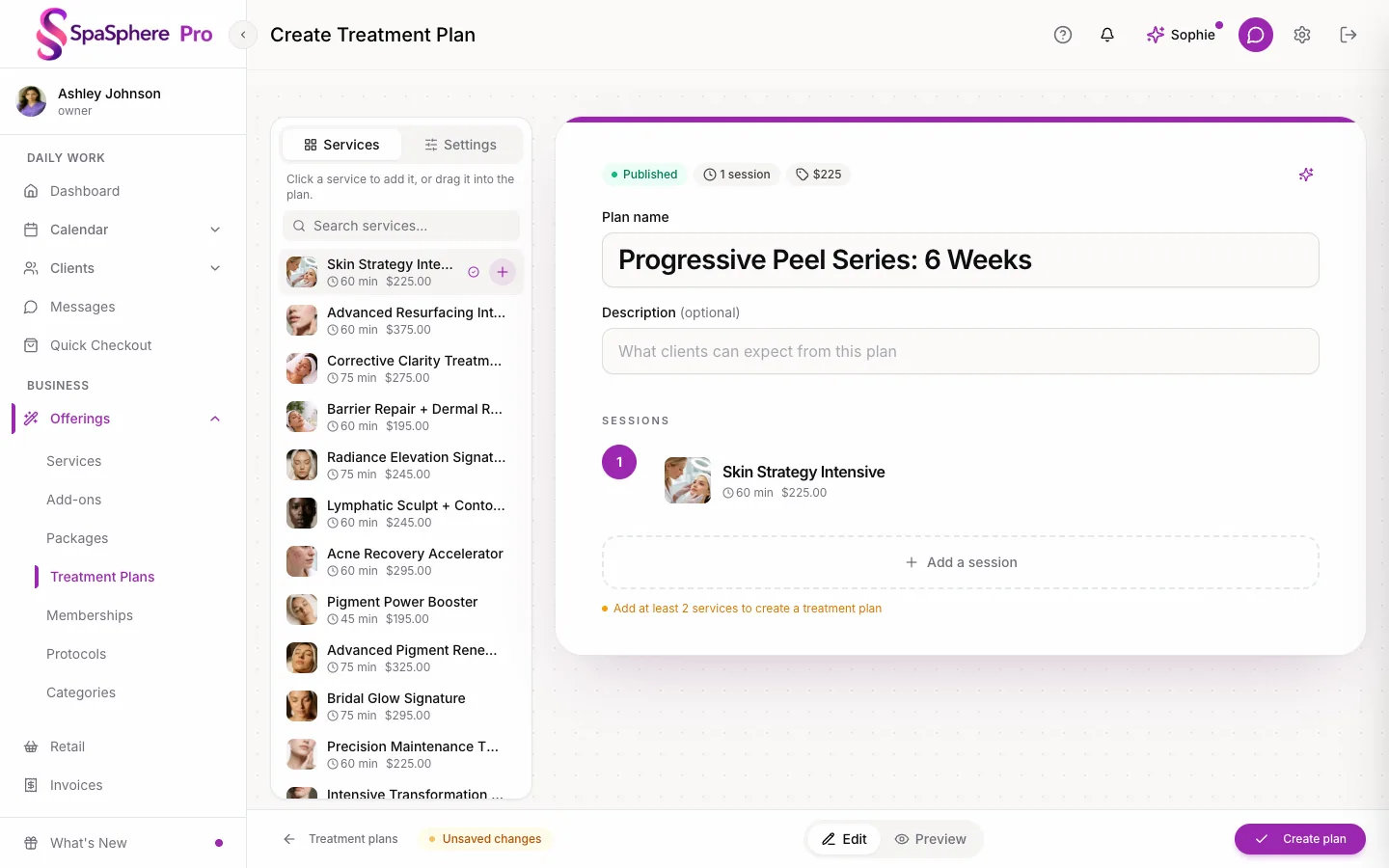
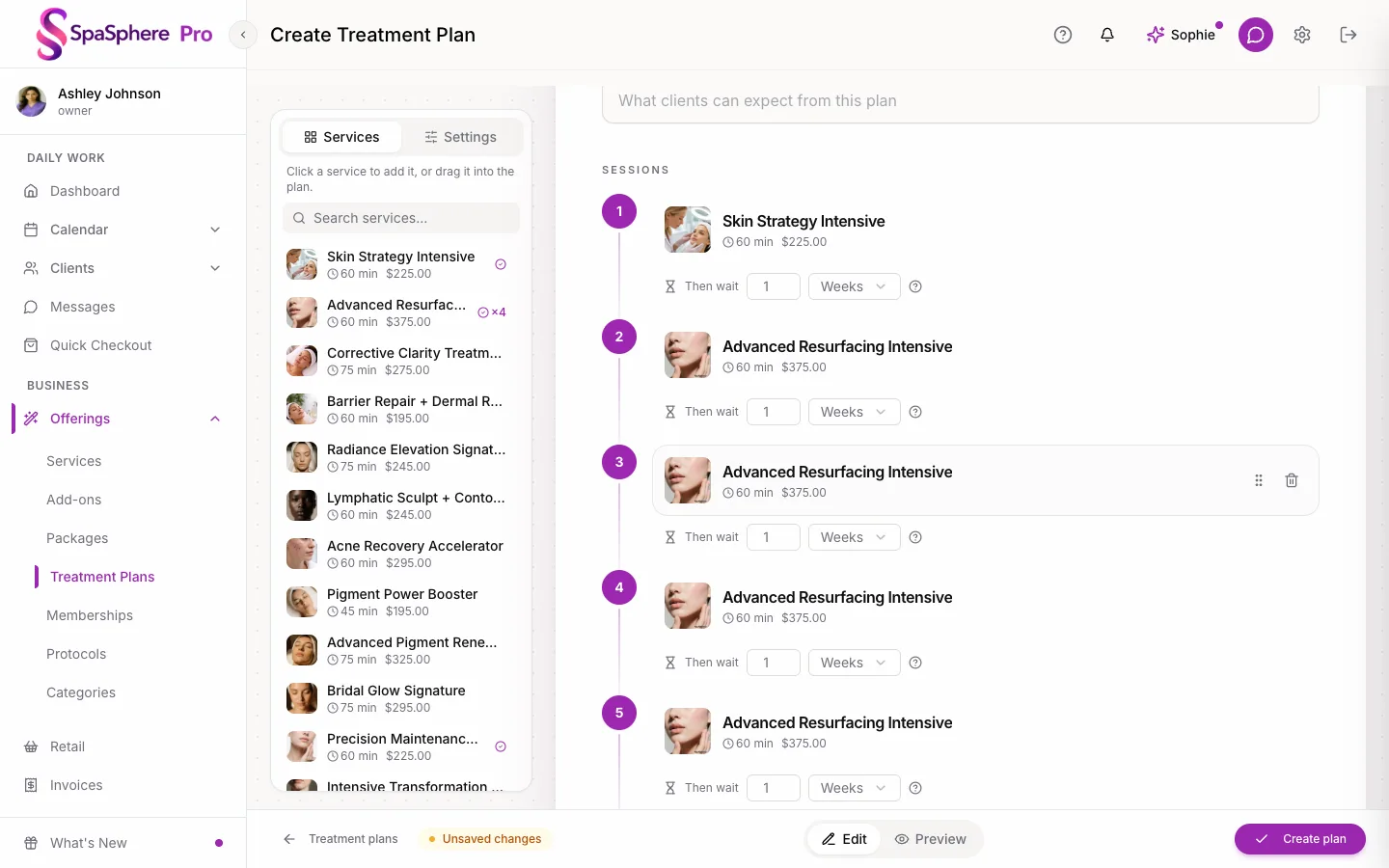
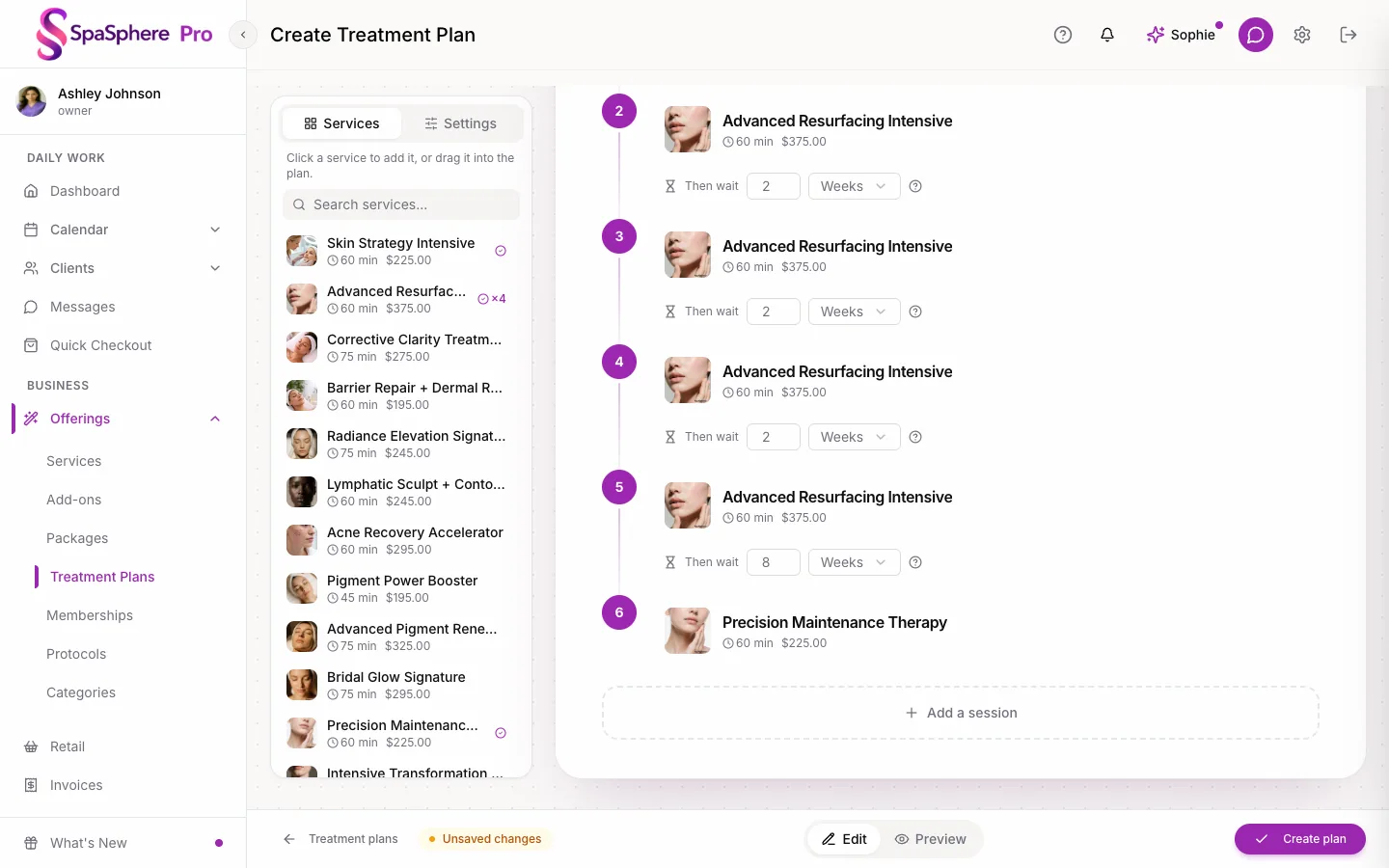
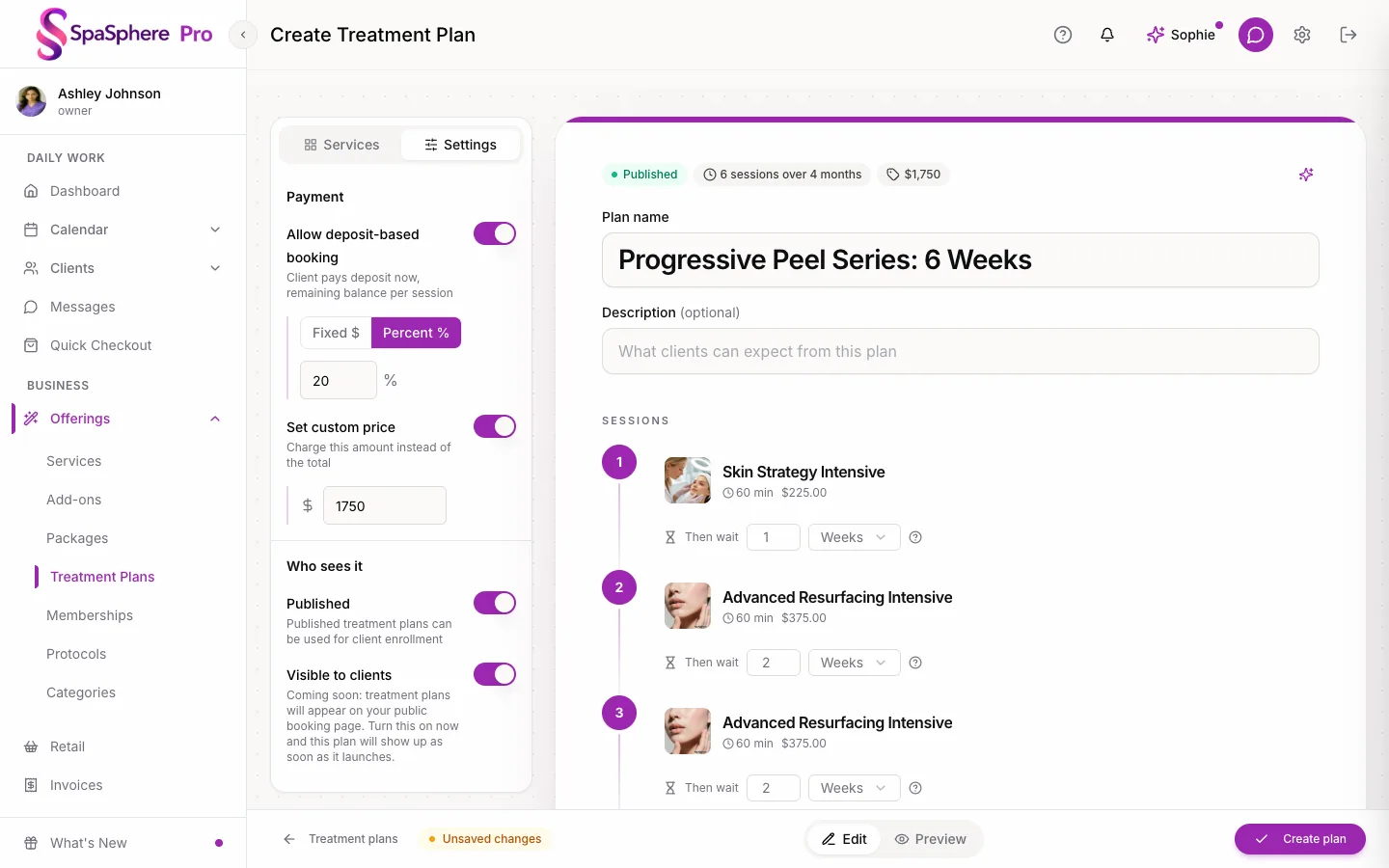
In SpaSphere this is the Treatment Plans builder. Name the series, add the visits in order, set the spacing and the price. Each client you enroll starts from the same plan, and you can adjust hers, for example adding a hydrating facial between peels if her skin needs it. It's the same structure as a corrective facial series or an Acne Bootcamp.
How far apart should chemical peels be?
It depends on the peel, the skin and your training, and that's exactly why the spacing belongs in the plan instead of the client's memory. Set it once, and each next peel opens when her skin should be ready for it. For a wider look at how programs differ from packages, read treatment plans in salon software.
Write your peel protocols once
Peel protocols are precise: prep, the peel layers, boosters, the finish, SPF, with timing for each and clear reasons not to treat. That precision is what you want in front of you at peel four, not a page you half remember.
From your education to step-by-step
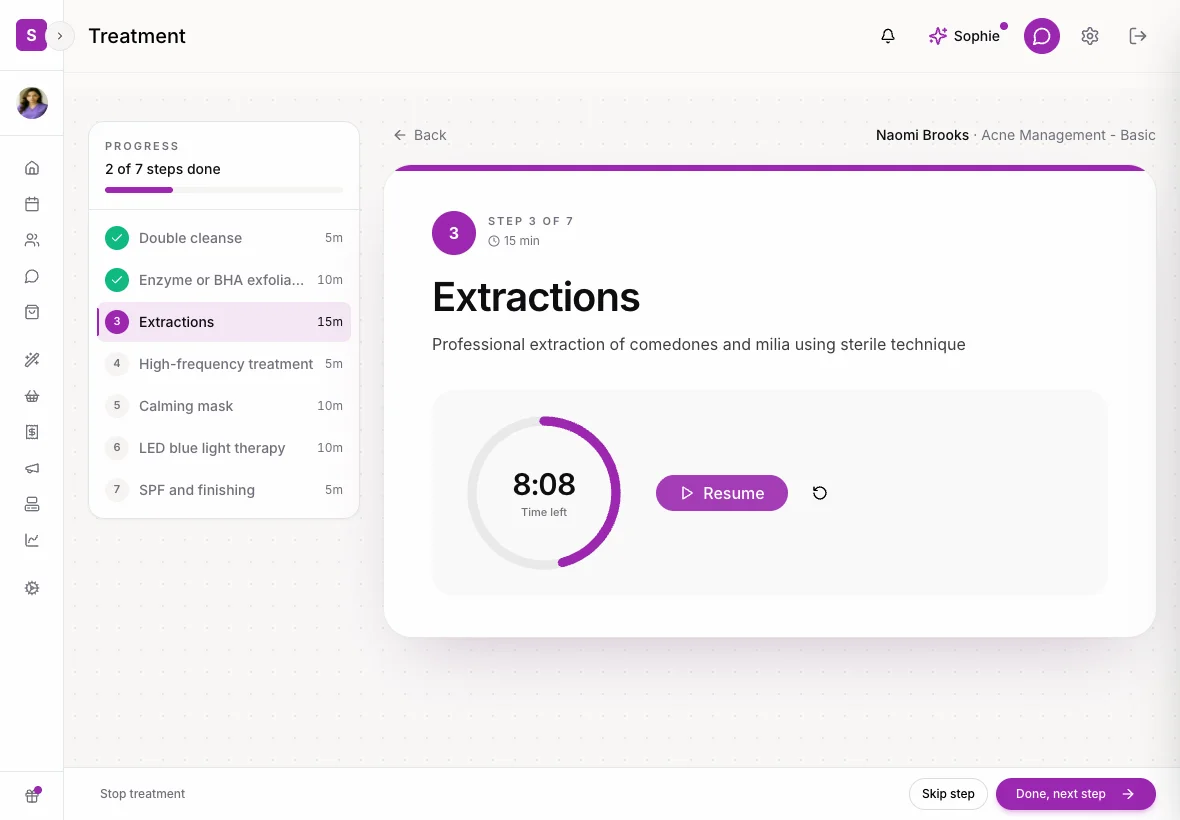
Write your Lira Clinical education in once, step by step, with timing, products and contraindications. Attach the protocol to the peel service.

In the room
When she's on the bed, the protocol opens one step at a time with timers running. When you finish, her treatment note is already started, so you have a clean record of what you layered and how the skin responded, ready for the next peel. More on documentation in smart treatment notes.
Keep her skin treatment-ready between peels
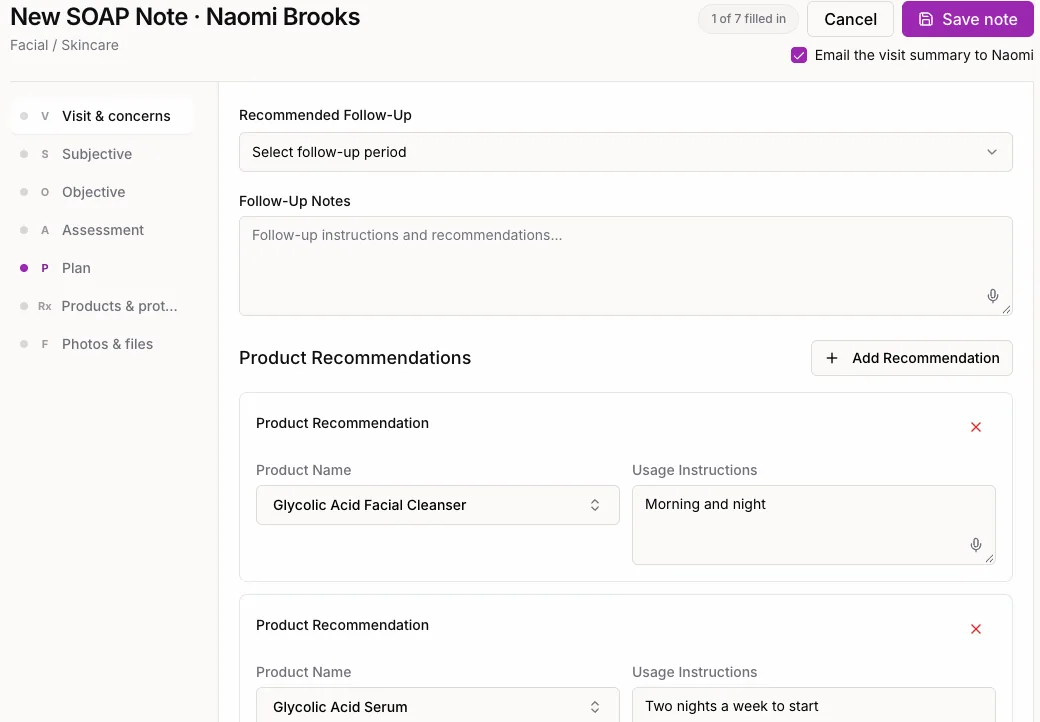
Home care is what makes the next peel possible. If she skips it, or swaps in her old retinol, peel three gets postponed.
Set the home care program on the protocol, with your instructions for each product. After each peel, it's in her treatment note and in the home routine of her skin assessment in her portal. She arrives at the next peel with skin ready for it, because the routine she followed is the one you prescribed.
Peel series follow-up that books every peel on time
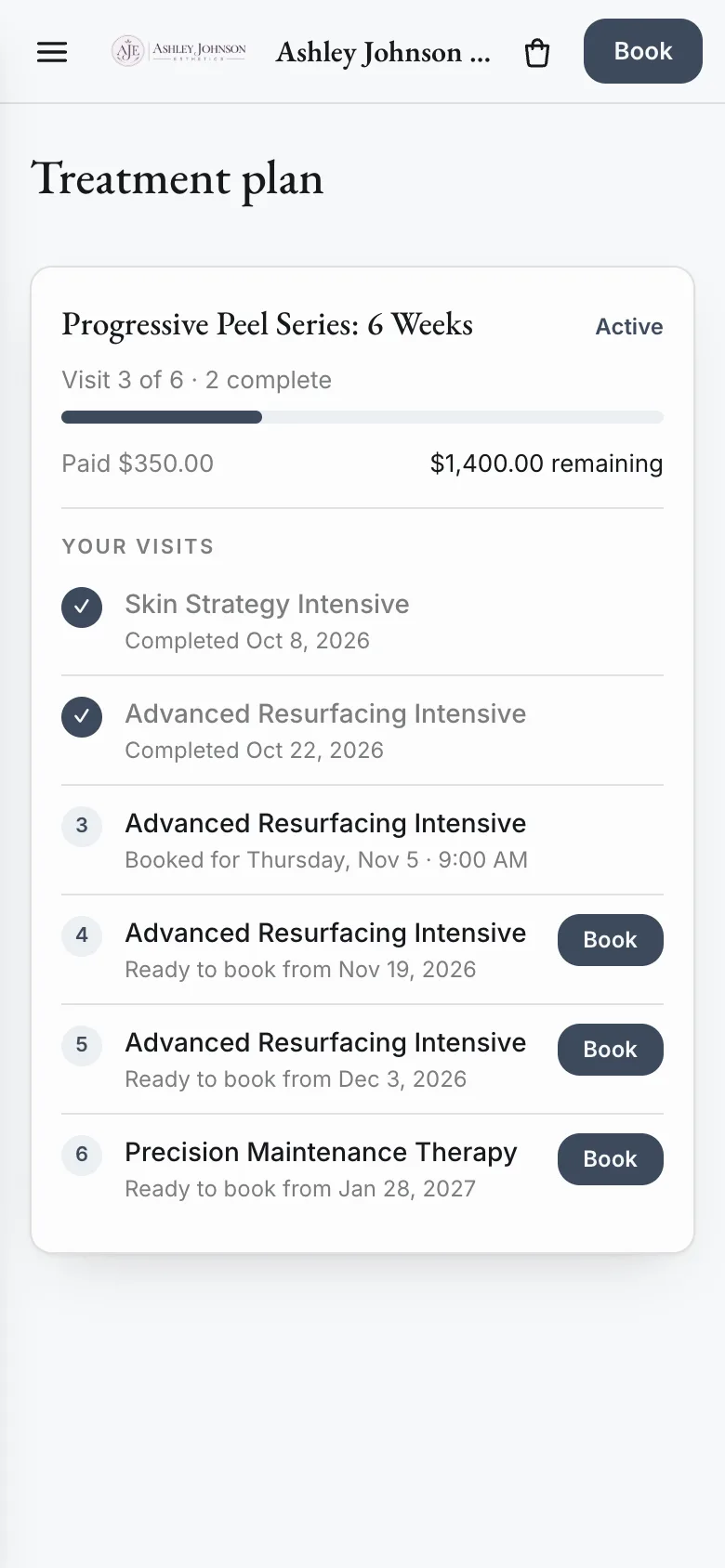
Her portal shows the series
Her client portal shows the whole series: the peel she's on, what's paid and a Book button for the next one. It opens in any browser from your booking site.
A workflow sends the next peel
SpaSphere Workflows are follow-ups you set up once:
- Peel two is done. The plan opens peel three in 14 days.
- When peel three is ready to book, the workflow emails her the booking link, in your words.
- If she books, it stops.
- If she hasn't booked after three days, it texts her the same link, only if she has agreed to texts.
- Every peel follows the same rhythm, through to maintenance.

1 / 8
Skin Strategy Intensive done
Advanced Resurfacing Intensive opens in 14 days, on the plan you built.
Each peel lands when it should, and you didn't chase anyone. For follow-up beyond the series, see esthetician client follow-ups.
Example: Dana's Resurfacing Series in Denver
Dana is a solo esthetician in Denver. Her Resurfacing Series is a $125 consultation, four progressive peels at $175 and a $150 maintenance visit, sold as one $975 program.
Before: she started nine series a quarter. Three clients slipped after peel two and never came back for the rest.
- Completed: 6 × $975 = $5,850
- Slipped: 3 × ($125 + 2 × $175) = $1,425
- Quarter total: $7,275
After: the plan, her protocols and one workflow. Say eight finish and one still slips.
- Completed: 8 × $975 = $7,800
- Slipped: 1 × $475 = $475
- Quarter total: $8,275
That's $1,000 more a quarter from the same nine consultations, plus home care reorders and the maintenance clients who stay. It's a worked example, not a benchmark.
Common mistakes with progressive peel series
- Treating the spacing as a suggestion. In a progressive series, the spacing your training gives you is part of the plan. Put it in the plan.
- Pricing per peel. It invites comparison shopping and makes stopping easy.
- Protocols from memory. At peel four, you want the exact layering you used at peel three in front of you.
- Home care on a printout. She can't follow a routine she can't find, and an unready skin postpones the next peel.
- No maintenance step. The series is where results happen; maintenance is where they last. Plan it from day one.
How to set up a peel series in SpaSphere
- Create your services: the consultation, the peel visit and a maintenance visit.
- Write your peel protocol step by step with timing, products, contraindications and the home care program, and attach it to the peel service.
- Build the treatment plan: consultation, each peel in order, your spacing, maintenance, one price.
- Set up one workflow that emails the booking link when the next peel is ready, and texts after three days only if she hasn't booked and agreed to texts.
- Enroll your next consultation and take the deposit or full price.
- Check the plan weekly for anyone who hasn't booked her next peel.
See the full series end to end in the Lira Clinical walkthrough:
FAQ
Q: How many peels are in a progressive peel series? A: It depends on the peel and the skin. Many estheticians plan three to six peels plus maintenance. Build your sequence in the plan and adjust it per client.
Q: How far apart should chemical peels be in a series? A: Follow your training and the client's skin. Set the interval once in the treatment plan, and each next peel opens on schedule.
Q: Can one plan mix peels with other treatments? A: Yes. Add any of your services to the plan in the order you want, for example a hydrating facial between two peels.
Q: Is SpaSphere affiliated with Lira Clinical? A: No. SpaSphere is independent esthetician software. You bring your Lira Clinical education and products; SpaSphere gives them a place to work.
Q: Where does the client see her home care program? A: In her treatment note after each peel, and in the home routine of her skin assessment in her client portal, with your instructions for each product.
Q: How much does SpaSphere cost? A: Thirty days for $1. After that, SpaSphere Pro is $139 a month for one complete plan with four team members included.
A progressive series is only as good as its timing. Build it once, and let the plan bring each client back for the next peel.
Build your progressive peel series tonight, with your protocols, home care program and follow-up in one place. Thirty days for $1.