

Free online forms for estheticians
Beautiful online forms, made for estheticians
SpaSphere Forms is free. Build as many intake and consent forms as you need, collect every submission you get, and never enter a card.
What is SpaSphere Forms?
SpaSphere Forms is a free online form builder for estheticians. Build intake and consent forms, start from templates written for esthetics, collect e-signatures and photos, and keep every answer on your client's record.
- forms
- Unlimited
- forms
- submissions
- Unlimited
- submissions
- no card needed
- $0
- no card needed
Your client already told you. Keep it where you'll look next time.
Before a peel, microneedling or a Brazilian, you need her medications, allergies, skin history, and whether she's pregnant. On a clipboard, that ends up in a folder you have to find again at her next visit.
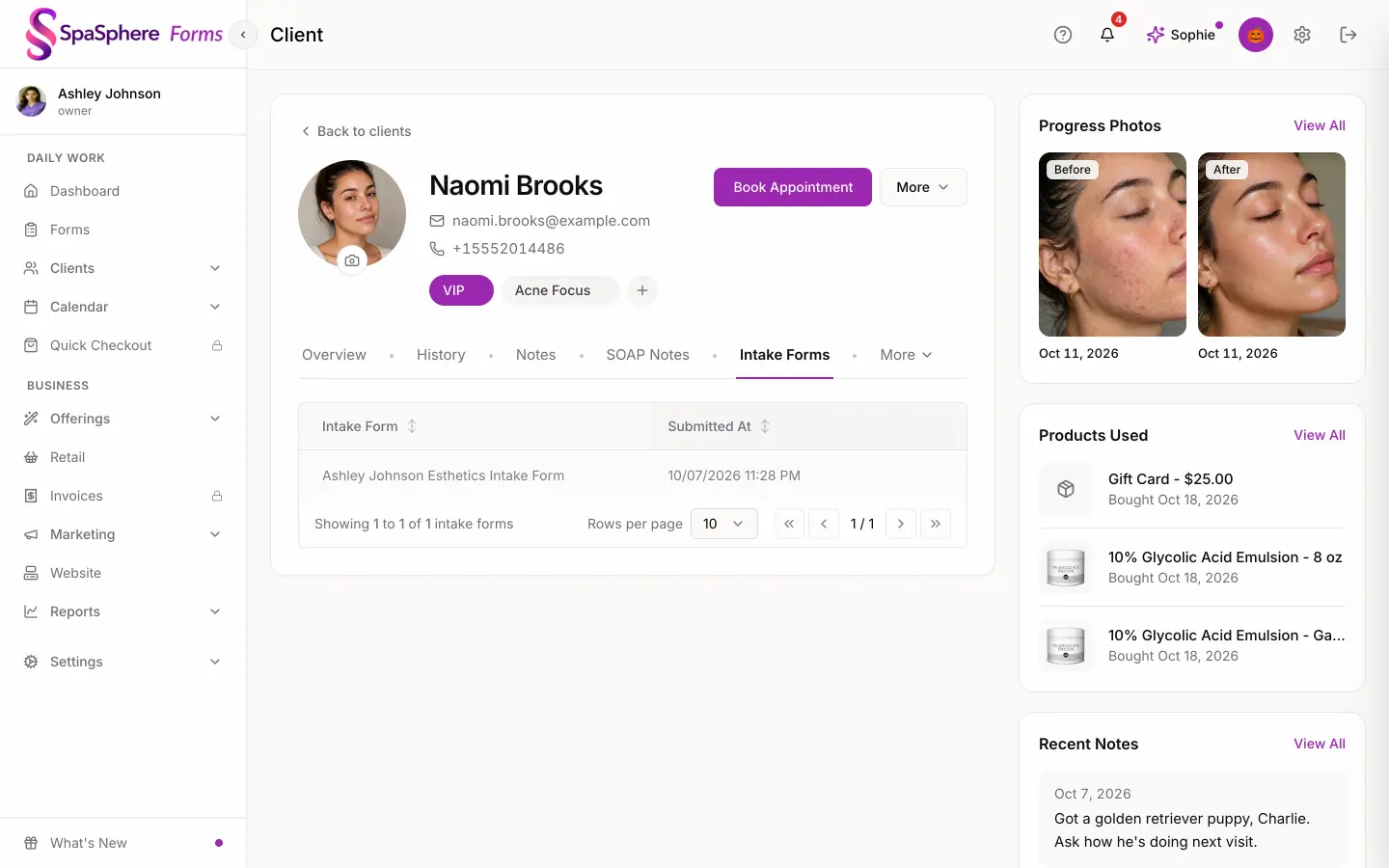
With SpaSphere Forms she answers on her own phone before she sits down, signs on the screen, and her answers attach to her client record. Next visit, you open her profile and it's there.
What you can build
Nine kinds of questions
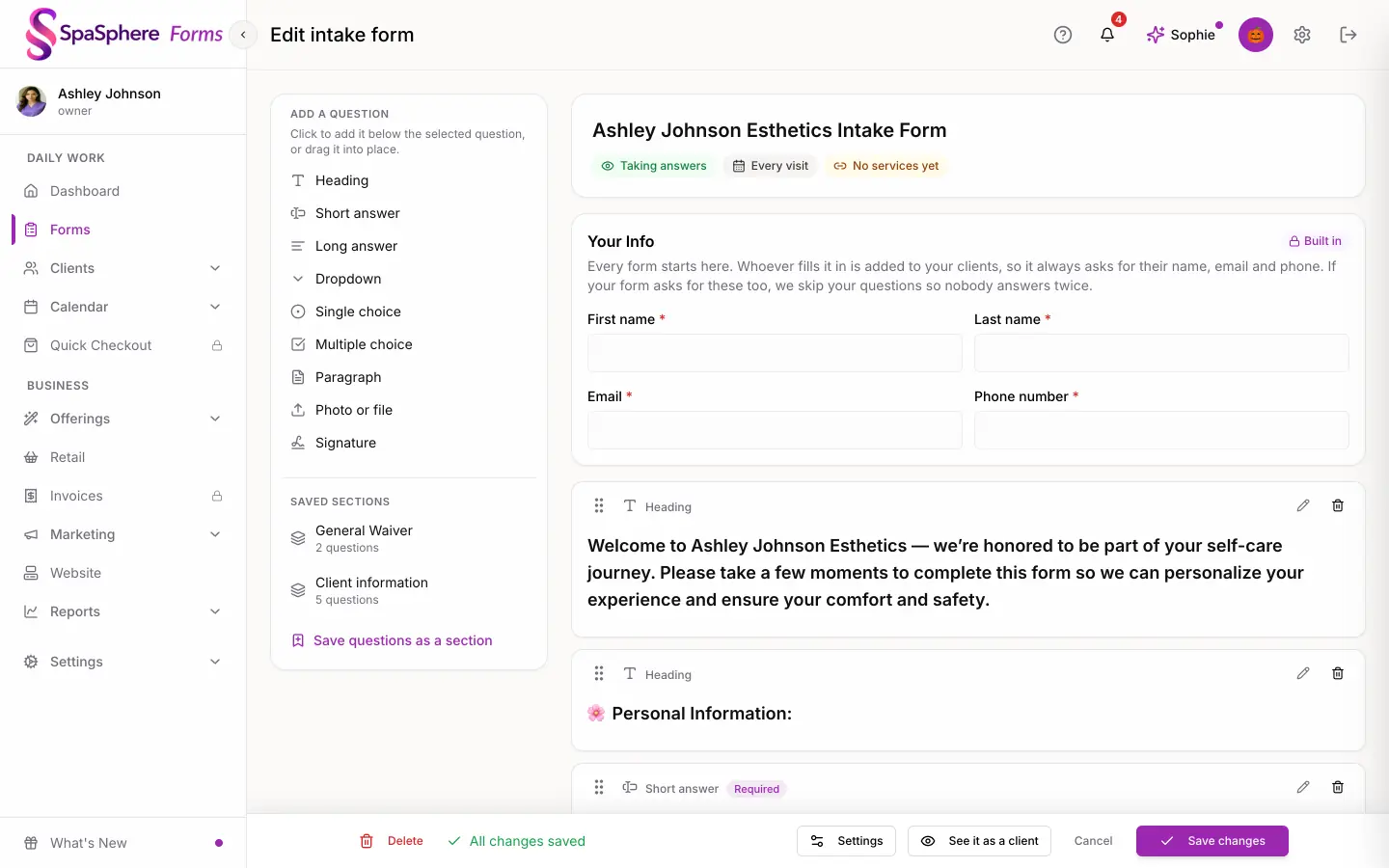
Headings, short and long answers, dropdowns, single and multiple choice, paragraphs of text, photo or file uploads, and signatures. Save a group of questions as a section and reuse it in any form.
Signatures on any screen
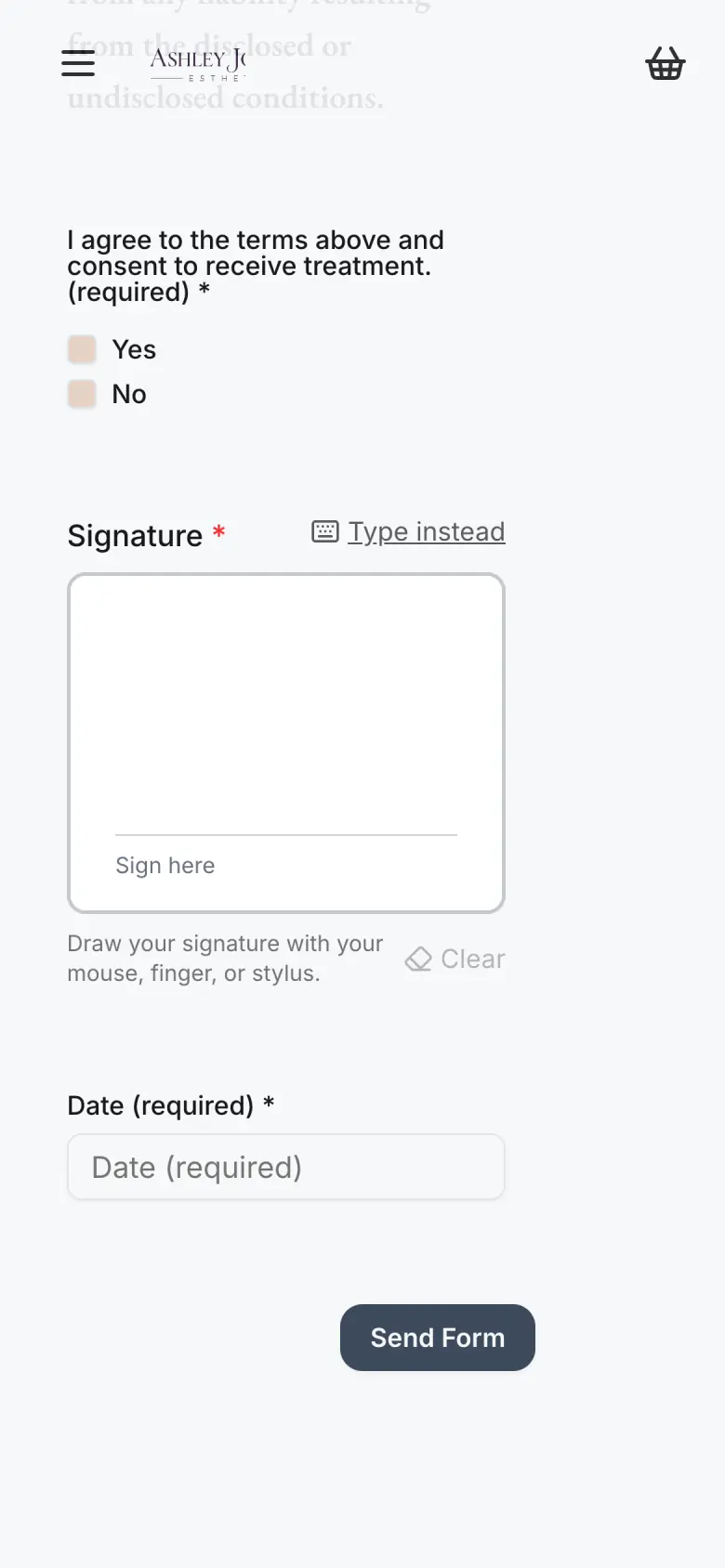
Your client draws or types her signature on her phone, tablet or computer. It's saved with her submission, along with the time, IP address and browser, and you see it when you open the submission.
Photos and files
Ask for before and after photos, a picture of your client, or a document she already has. Files are virus-scanned and land on her Files tab, ready for her next visit.
Follow-up questions
When an answer needs more detail, a dropdown or choice question can open one extra text box. She answers "Yes" to taking medication, and a box appears asking which ones.
Intake form templates written for esthetics
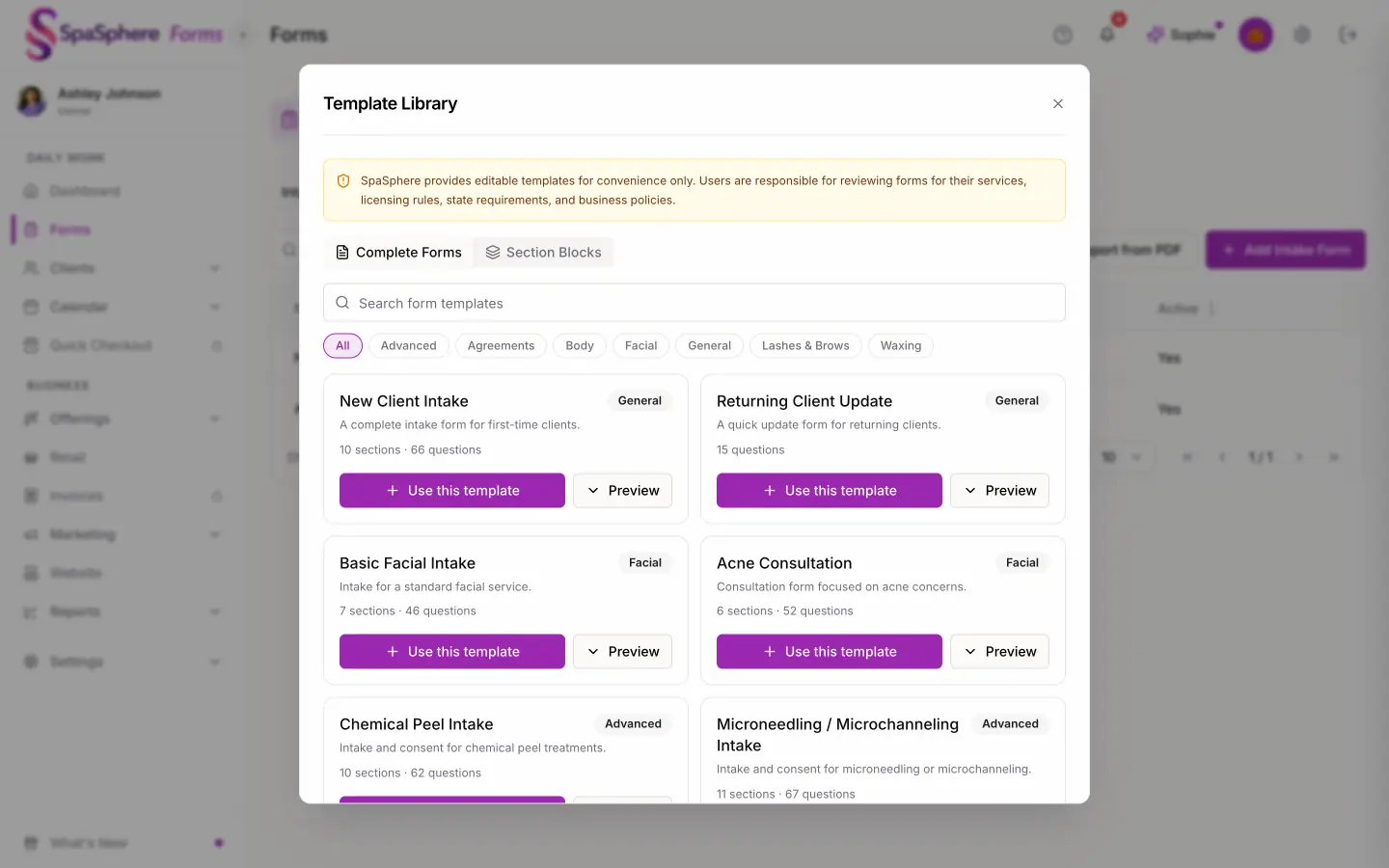
Start from one of 15 ready-made forms and 16 sections. Every one is editable, so you keep your own wording.
- New Client Intake
- Returning Client Update
- Basic Facial Intake
- Acne Consultation
- Chemical Peel Intake
- Microneedling / Microchanneling Intake
- Dermaplaning Intake
- Facial Wax Intake
- Brazilian Wax Intake
- Lash Extension Intake
- Brow Lamination / Tint Intake
- Body Contouring Intake
- Membership Agreement
- Package Consent
- Treatment Plan Agreement
Sections include Medical History, Allergies & Sensitivities, Medications & Supplements, Skin History, Pregnancy & Breastfeeding, Photo Consent, Consent & Acknowledgement and Client Policies. Drop one into any form.
Already have paper forms? Bring them with you.
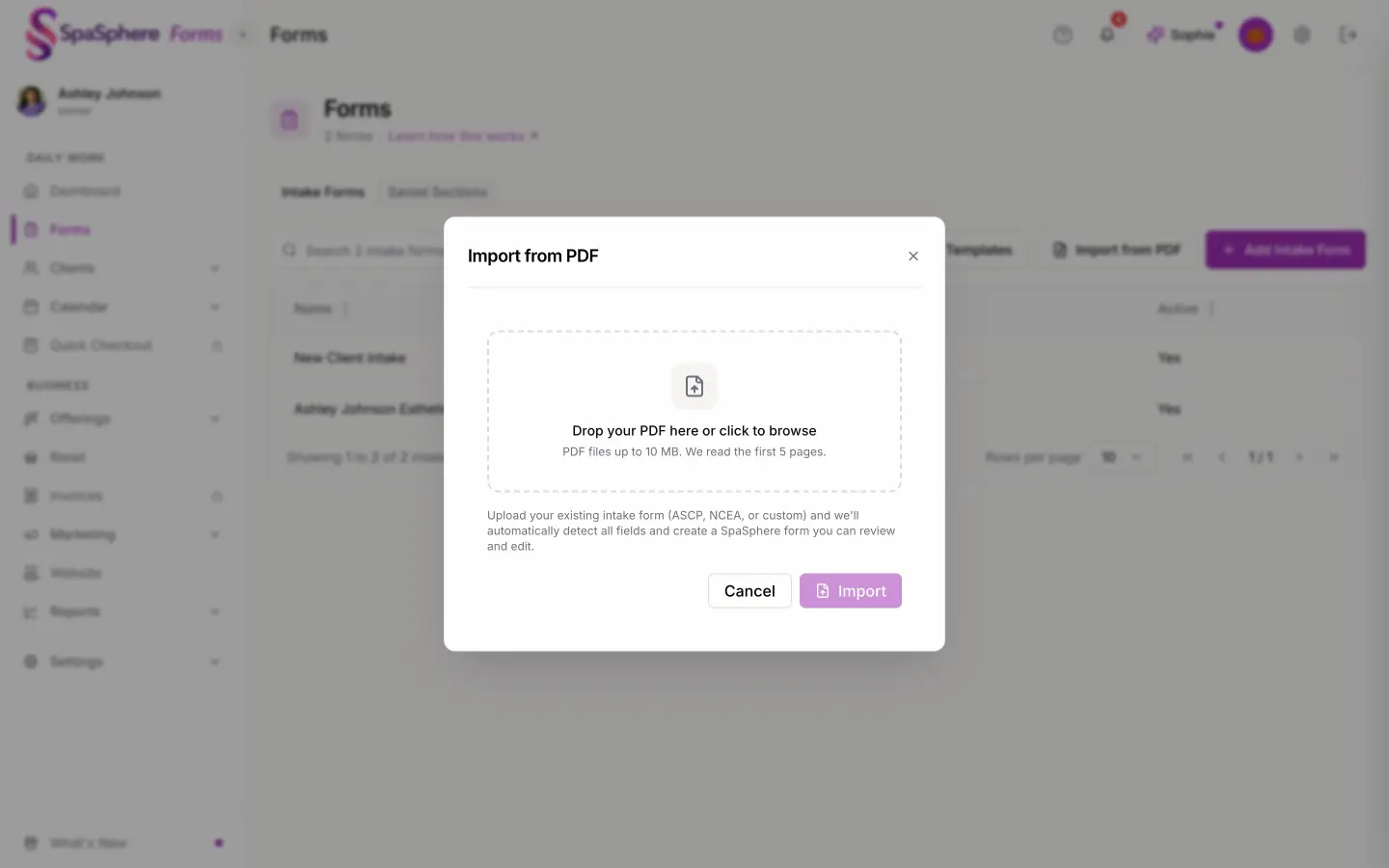
Upload a PDF of the intake form you use today and SpaSphere turns it into an editable online form. Read through the questions, change what you like, and send it. Importing is part of the free plan, so the form you've refined over years doesn't have to be rebuilt by hand.
How your clients fill them out
Send it
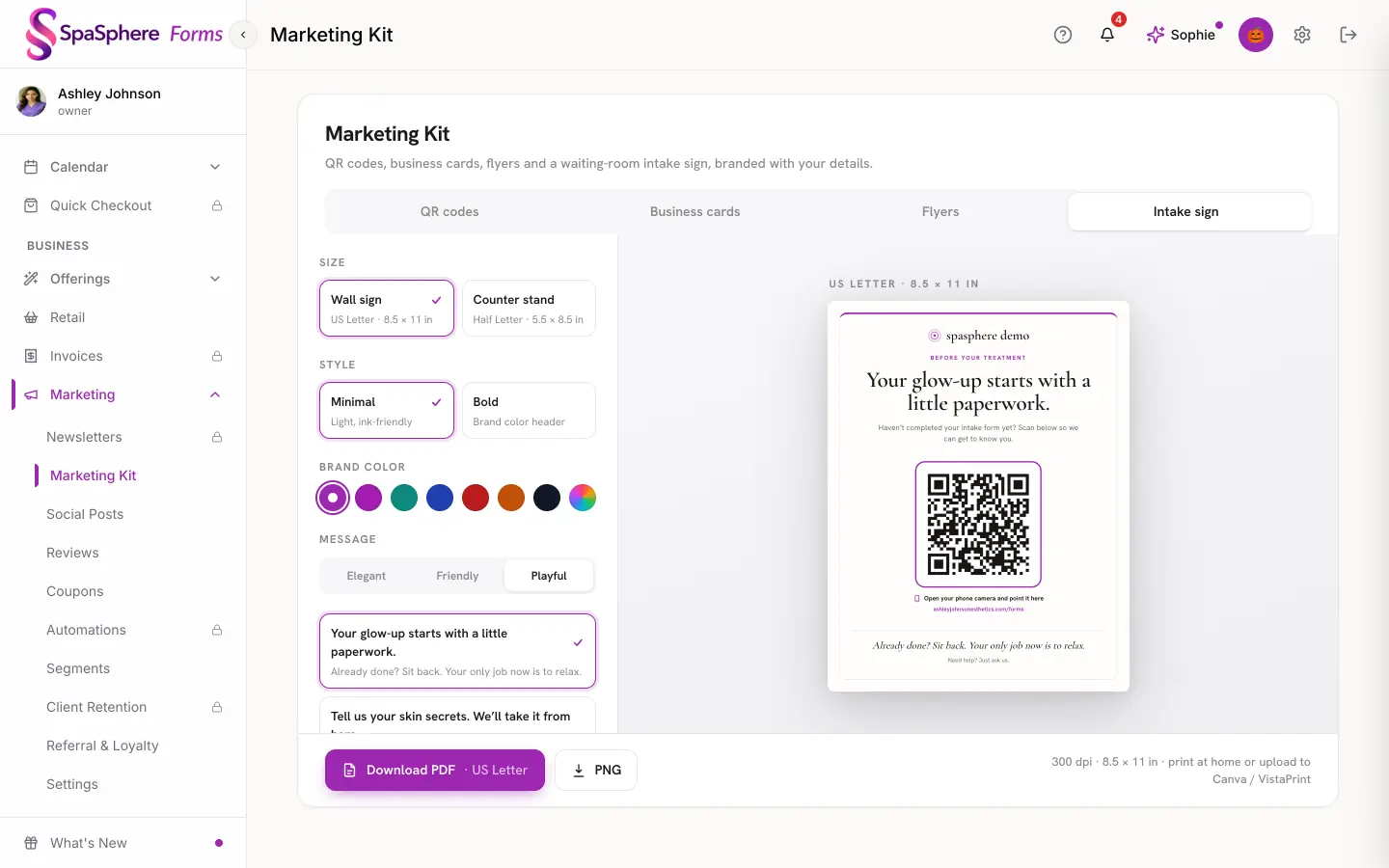
Copy the form's link, or email it to your client from SpaSphere. In the studio, print the waiting-room sign: its QR code opens your forms page.
She fills it out on any device
Phone, tablet or computer. No app to download and no account to create.
It lands on her client record
Every form starts with Your Info: first name, last name, email and phone. A returning client is matched by email. A new client gets a client record when the form is open to new clients or you emailed her the link.
You both hear about it
You get an email and an app notification. She gets an email confirming you received her form. Her answers sit on the Intake Forms tab of her profile and on your Forms dashboard.
Between clients, use the SpaSphere staff app on iPhone or Android to build forms, start from templates, send them, and read submissions, signatures included. More on the SpaSphere Forms feature page.
When you're ready: SpaSphere Pro
The form is where her care starts. SpaSphere Pro carries it into the appointment: online booking and your calendar, checkout and payments, reminders, and your full website.
Link a form to a service and it goes out on its own with each booking confirmation and reminder, every visit or once a year. Her answers sit on the same profile as your SOAP notes, so what she told you carries into the treatment.
Upgrade and everything you've already set up is ready to go.
30 days for $1, then $139/mo. Cancel anytime.
Comparing form tools?
See how SpaSphere Forms handles intake, signatures and client records next to the tools you may be using now.
Frequently asked questions
Is SpaSphere Forms really free?
Yes. SpaSphere Forms is free and you don't need a card to sign up. Building forms, the template library, importing your PDF forms, e-signatures, photo uploads and the client records your submissions create are all part of it.
Is there a limit on how many forms or submissions I can have?
No. There's no limit on the number of forms you build or the number of submissions you collect.
Can I use my existing paper or PDF intake forms?
Yes. Upload a PDF of the form you use today and SpaSphere turns it into an editable online form. Check the questions, change what you like, and send it. Importing is included on the free plan.
Do my clients need an app or an account to fill out a form?
No. Your client opens the link on her phone, tablet or computer and fills it out in the browser. There's nothing to download and no account to create.
How do clients sign a consent form online?
Add a Signature question to the form. Your client draws or types her signature on whatever device she's using. The signature is saved with her submission, with the time, IP address and browser recorded, and you see it when you open the submission.
What esthetician intake form templates are included?
There are 15 ready-made forms and 16 sections, all editable. The forms are New Client Intake, Returning Client Update, Basic Facial Intake, Acne Consultation, Chemical Peel Intake, Microneedling / Microchanneling Intake, Dermaplaning Intake, Facial Wax Intake, Brazilian Wax Intake, Lash Extension Intake, Brow Lamination / Tint Intake, Body Contouring Intake, Membership Agreement, Package Consent, Treatment Plan Agreement. Sections include Medical History, Allergies & Sensitivities, Medications & Supplements, Skin History, Pregnancy & Breastfeeding, Photo Consent, Consent & Acknowledgement and Client Policies.
How do I send a form to a client?
Copy the form's link and share it however you like, or email it to her from SpaSphere. For walk-ins, print the waiting-room sign with a QR code that opens your forms page. With SpaSphere Pro, forms linked to a service also go out on their own with each booking confirmation and reminder.
What's the difference between SpaSphere Forms and SpaSphere Pro?
SpaSphere Forms is free: forms, templates, e-signatures, uploads, and client records for everyone who fills one out. SpaSphere Pro is $139/month and adds online booking and your calendar, checkout and payments, invoices, reminders and automations, your full website, memberships, marketing and SOAP notes. With Pro, forms linked to a service go out automatically with booking confirmations and reminders. Upgrade and everything you've already set up is ready to go.
Your first form can be ready today
Start from a template or import the form you already use. Free, no card needed.