

SpaSphere Forms · the Google Forms alternative
Google Forms Collects Answers. SpaSphere Helps You Run Your Spa.
Google Forms is free and quick for any kind of form. SpaSphere Forms is free too, with no limit on forms or submissions, and it's built for estheticians: intake templates, signatures, before/after photos, and every submission saved to a client record.
The short version
Google Forms is a free, general-purpose form tool. Responses show in the form or in a linked Google Sheet, and its question types don't include a signature. A file upload question asks your client to sign in to a Google Account, and the files go to a folder in your Google Drive. SpaSphere Forms is free as well, with no limit on forms or submissions. It adds esthetics intake templates, drawn or typed signatures, and before/after photo uploads with no account for your client, and it ties every submission to a client record. SpaSphere Pro adds booking, payments and reminders when you're ready.
Switch from Google Forms to SpaSphere Forms if:
- You need clients to sign their intake forms
- You want before/after photos without asking clients to sign in to Google
- You want answers on a client profile, not in a spreadsheet

Free, with no limit on forms or submissions.
No card needed. Start from a ready-made esthetics form or import the PDF you use today, collect signatures and before/after photos, and find every submission on your client's profile.
Start free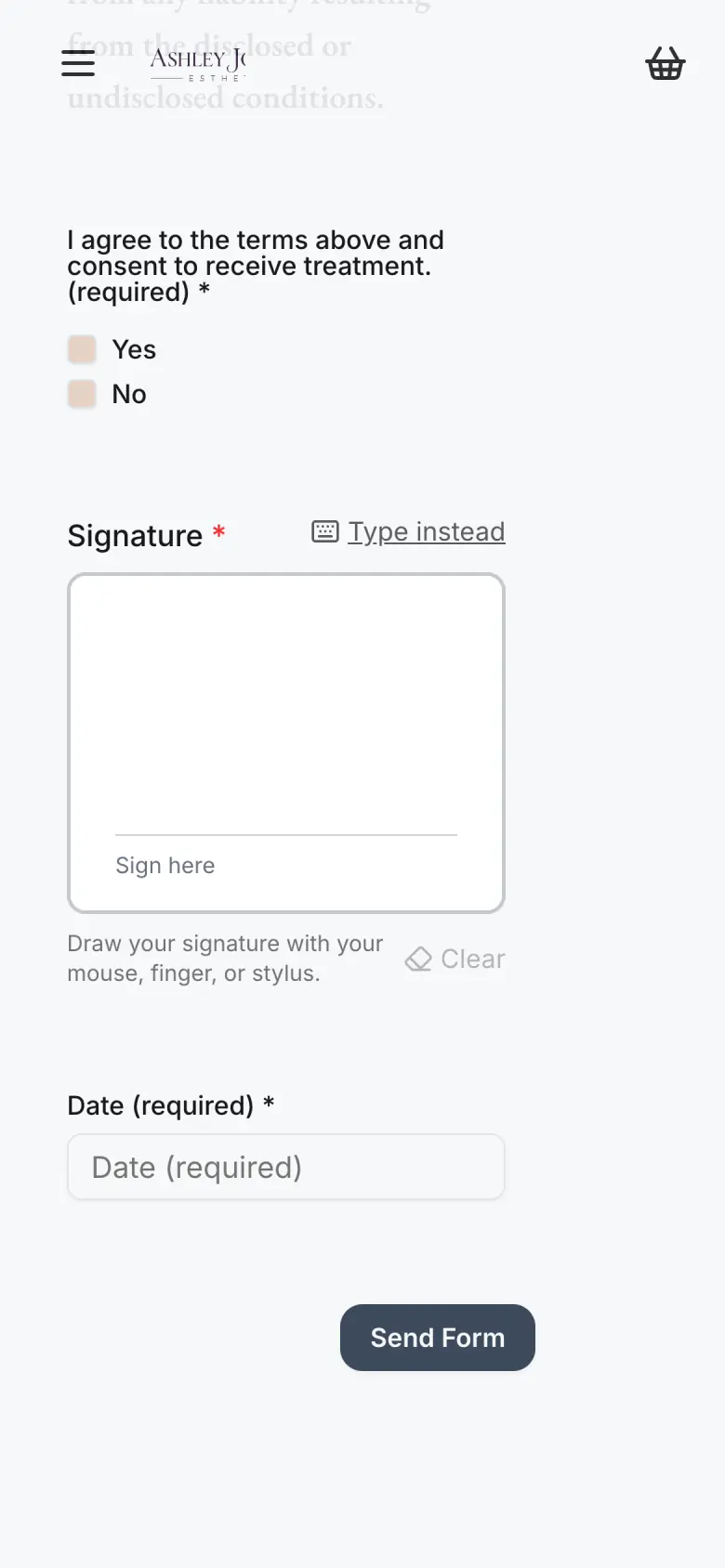
When you're ready, SpaSphere Pro adds online booking, payments, reminders, a full website, and forms linked to a service that go out automatically with booking confirmations and reminders. Upgrade and everything you've already set up is ready to go.
Google Forms: question types, file upload sign-in and response destinations from Google Docs Editors Help, as of October 2026.
Why estheticians leave Google Forms
Google Forms is free and easy to set up for surveys, sign-ups and quizzes of every kind. An esthetics intake asks for a few things it isn't built around: a signature, photos from a client who may not use Google, and a place for the answers beside her history.
No signature question
The question types include short answer, paragraph, dropdown and file upload, but no signature
Uploads need a Google sign-in
Your client must sign in to a Google Account to answer a file upload question, and files land in your Drive
Answers in a spreadsheet
Responses live in the form or a linked Google Sheet, apart from your client records
Both are free. One is built for skin care.
Quick side-by-side comparison
Price
SpaSphere Forms
Free, no card needed
Google Forms
Free with a Google Account
Signatures
SpaSphere Forms
Drawn or typed on any device, saved with the time, IP address and browser
Google Forms
No signature question type
Photo and file uploads
SpaSphere Forms
Up to 10 before/after photos, no account for your client, virus-scanned, saved to her Files tab
Google Forms
Your client must sign in to a Google Account; files go to a folder in your Drive
Where answers go
SpaSphere Forms
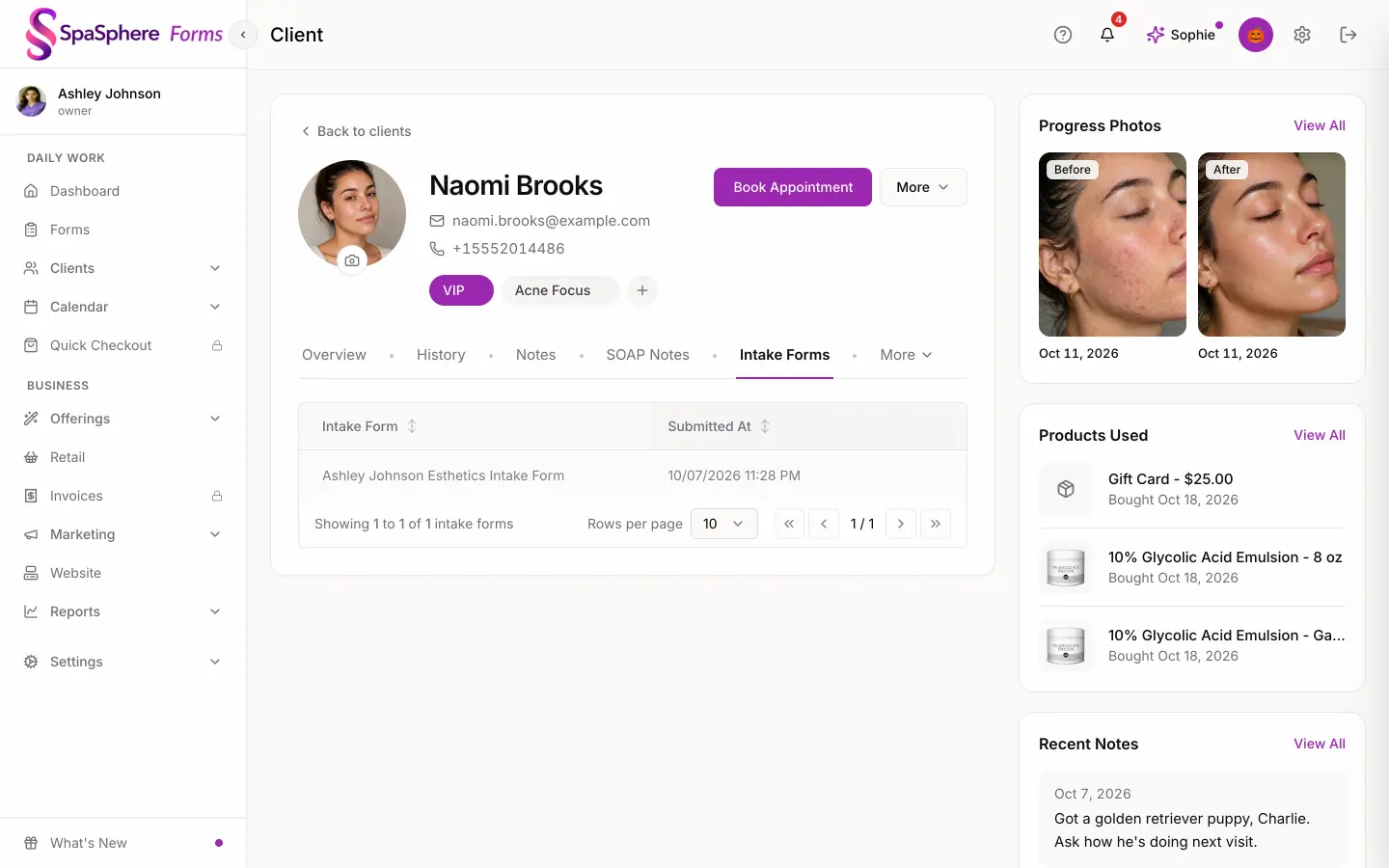
On your client's profile and your Forms dashboard: matched to her by email, or a new client is created
Google Forms
The form's Responses tab, or a linked Google Sheet
Templates
SpaSphere Forms
15 esthetics forms and 16 sections, from facial intake to lash extensions
Google Forms
General-purpose
Booking, payments, reminders
SpaSphere Forms
Not on the free plan. SpaSphere Pro adds them, plus a full website and forms linked to a service that go out with booking confirmations and reminders
Google Forms
Not part of Google Forms
Competitor pricing, plan names, and feature availability verified against each platform's public pricing page and help center as of October 2026 (Google Docs Editors Help). Vendors update plans and pricing without notice - confirm current details on the competitor's site before making a buying decision.
Your client isn't a spreadsheet row.
Her medications, allergies and goals should be on her profile the next time she's in your chair.
Free, with no limit
Built for the intake, not only the answers.
SpaSphere Forms is free, with no cap on forms or submissions, and no card needed.
- 15 ready-made forms and 16 sections: facial, acne, chemical peel, microneedling, dermaplaning, wax, lash and brow intakes, all editable.
- Signatures your client draws or types on a phone, tablet or computer, saved with the time, IP address and browser.
- Up to 10 before/after photos, uploaded with no account, virus-scanned and saved to your client's Files tab.
- Import the PDF form you use today and it becomes an editable SpaSphere form, on the free plan.
When Google Forms can still be a good fit
- Good fit: You need a quick survey, sign-up or feedback form, with no signature.
- Good fit: You already work in Google Sheets and Drive and want your answers there.
- Good fit: Your form doesn't ask clients to upload files, so no one needs to sign in.
When SpaSphere Forms is a better fit
- Better fit: You want clients to sign their intake forms on any device.
- Better fit: You want before/after photos from clients without a Google sign-in.
- Better fit: You want each client's answers, signature and photos on her client profile.
- Better fit: You may want booking, payments and reminders later, without rebuilding your forms.
What to compare before you switch
- Both are free to start. The difference is what happens after your client submits.
- Check whether your intake needs a signature or photos, and whether your clients all have Google accounts.
- SpaSphere Forms is free. SpaSphere Pro is $139/month, with your first 30 days for $1, when you want booking and payments too.
Also see simple pricing for clear plan details, or compare prices and fees in best booking websites for estheticians.
If you remember one line from this page:
Google Forms collects answers. SpaSphere Forms keeps them with your client.
FAQ
Is Google Forms good for estheticians?
It works well for simple questions, and it's free. For client intakes, three things come up: there's no signature question, a file upload question asks your client to sign in to a Google Account, and the answers stay in the form or a spreadsheet instead of a client record. SpaSphere Forms is free and handles all three.
Is there a free Google Forms alternative with e-signatures?
Yes. SpaSphere Forms is free and includes signatures: your client draws or types hers on a phone, tablet or computer, and it's saved with the submission, with the time, IP address and browser recorded.
Is there a limit on forms or submissions?
No. SpaSphere Forms has no limit on the number of forms you build or the submissions you receive, and no card is needed.
Do my clients need an account or an app?
No. Your client opens the link on her phone, tablet or computer and fills it out. You can send it by email from SpaSphere, copy the link, or print a waiting-room sign with a QR code that opens your forms page.
Can I bring the forms I already use?
Yes. Upload your existing form as a PDF and SpaSphere Forms turns it into an editable form, on the free plan. Or start from one of the 15 ready-made esthetics forms and adjust it.
Where do my clients' answers go?
Each submission is tied to a client: matched to an existing client by email, or a new client is created. You'll find it on her profile and on your Forms dashboard, and you get an email and an app notification when a new form comes in.
What does SpaSphere Pro add?
Online booking and your calendar, checkout and payments, invoices, reminders and automations, a full website, memberships and SOAP notes. Forms you link to a service go out automatically with booking confirmations and reminders. SpaSphere Pro is $139/month, and your first 30 days are $1. Upgrade and everything you've already set up is ready to go.