
SpaSphere Forms
Intake and consent form software for spas
Unlimited forms and submissions, e-signatures and photo uploads, saved to your client's profile. Free, no card needed.
Your client already told you about her medications, allergies and goals. That shouldn't disappear into a folder after she signs. With SpaSphere Forms she fills out your intake on her own phone, signs on the screen, and her answers attach to her client profile, where you'll look for them at her next visit.
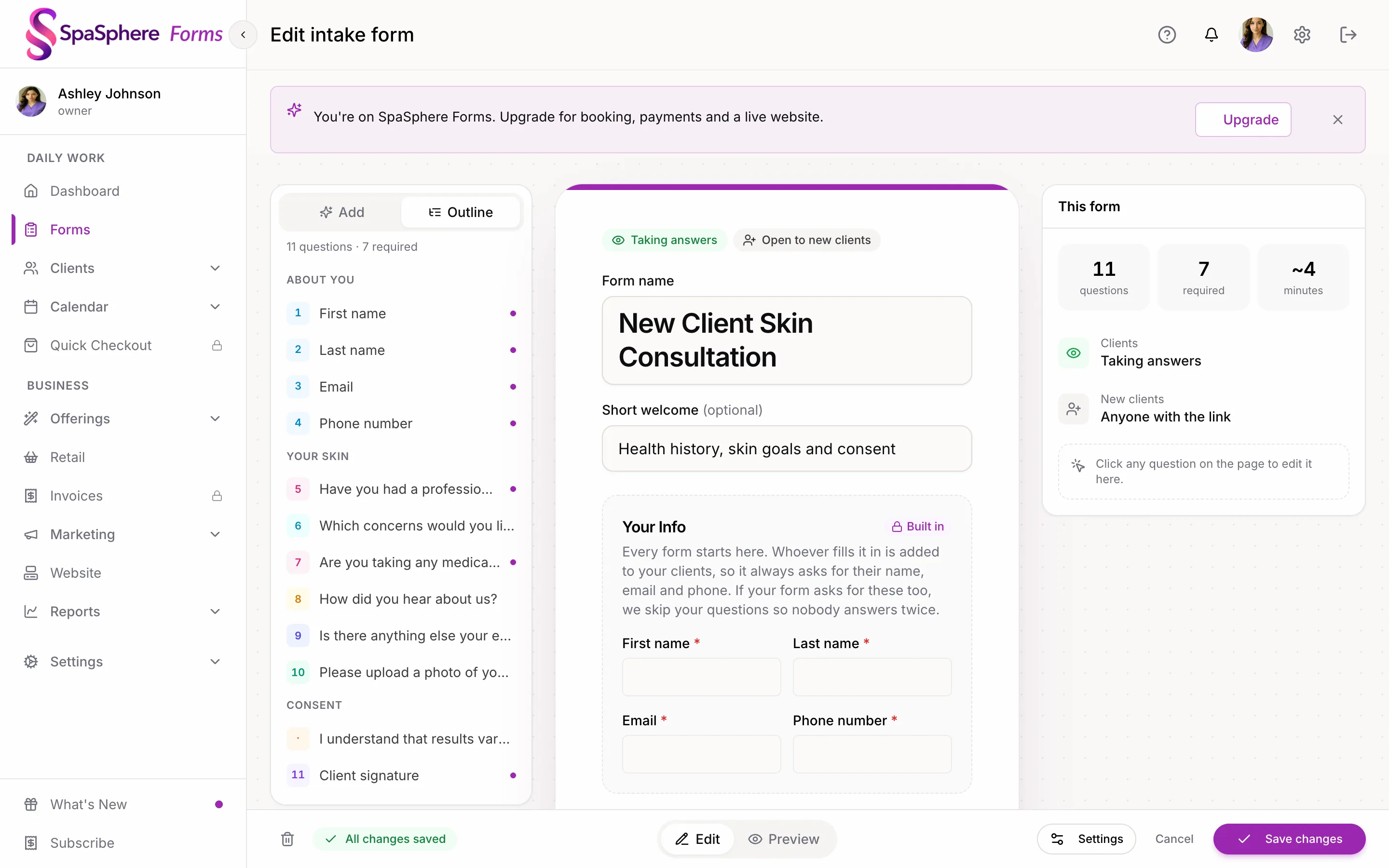

Free, with no limit on forms or submissions, and no card needed. Build from scratch, start from a template, or import the PDF form you already use. Comparing tools? See online forms for estheticians, SpaSphere vs Jotform and SpaSphere vs Google Forms.
What's in SpaSphere Forms
Free and Unlimited
No limit on the number of forms you build or the submissions you collect. No card to sign up.
Nine Kinds of Questions
Short and long answers, dropdowns, single and multiple choice, photo or file uploads, signatures and more. A choice answer can open a follow-up question.
E-Signatures
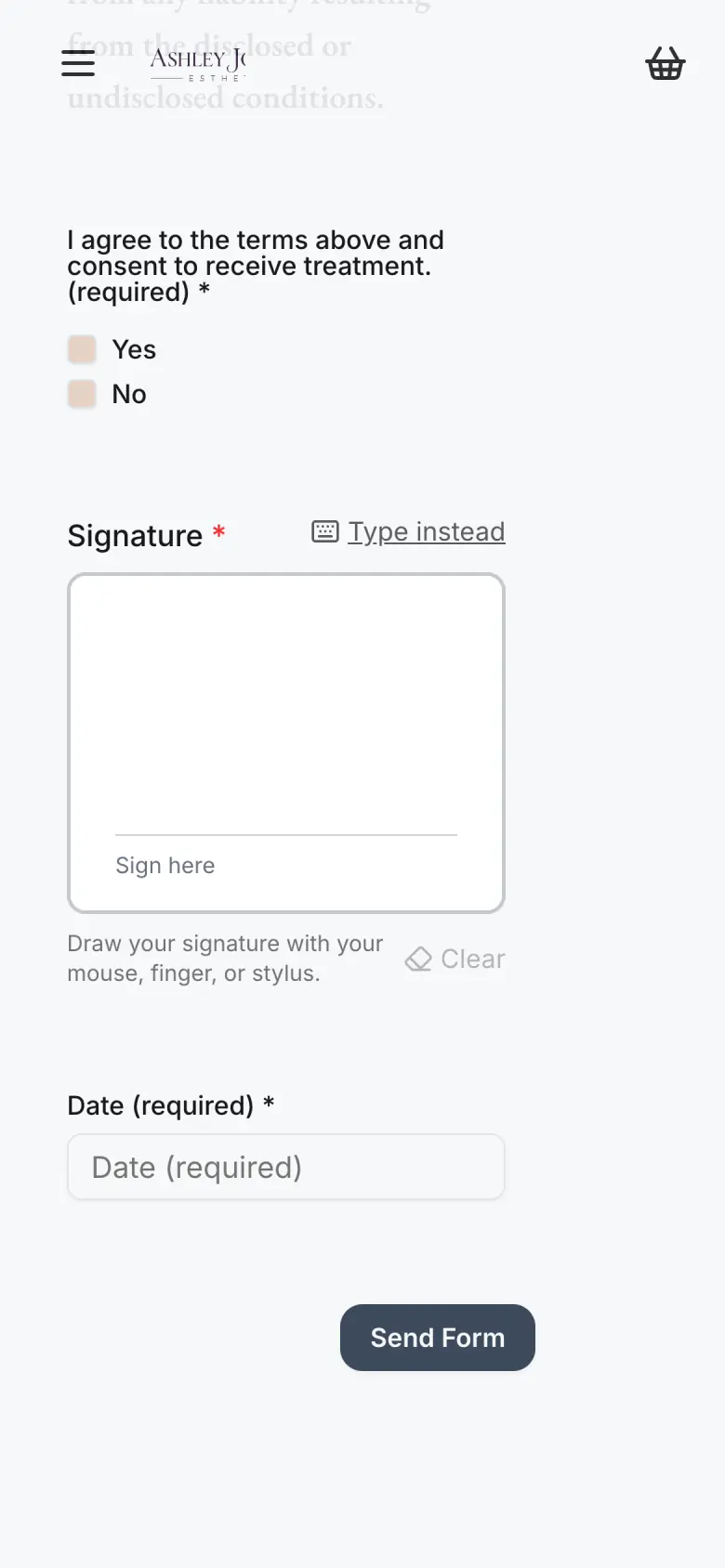
She draws or types her signature on her phone, tablet or computer. It's saved with her submission, with the time, IP address and browser recorded.
Photos and Files
Ask for before and after photos or a document she already has. Files land on her Files tab, and only your team can see them.
Templates and PDF Import
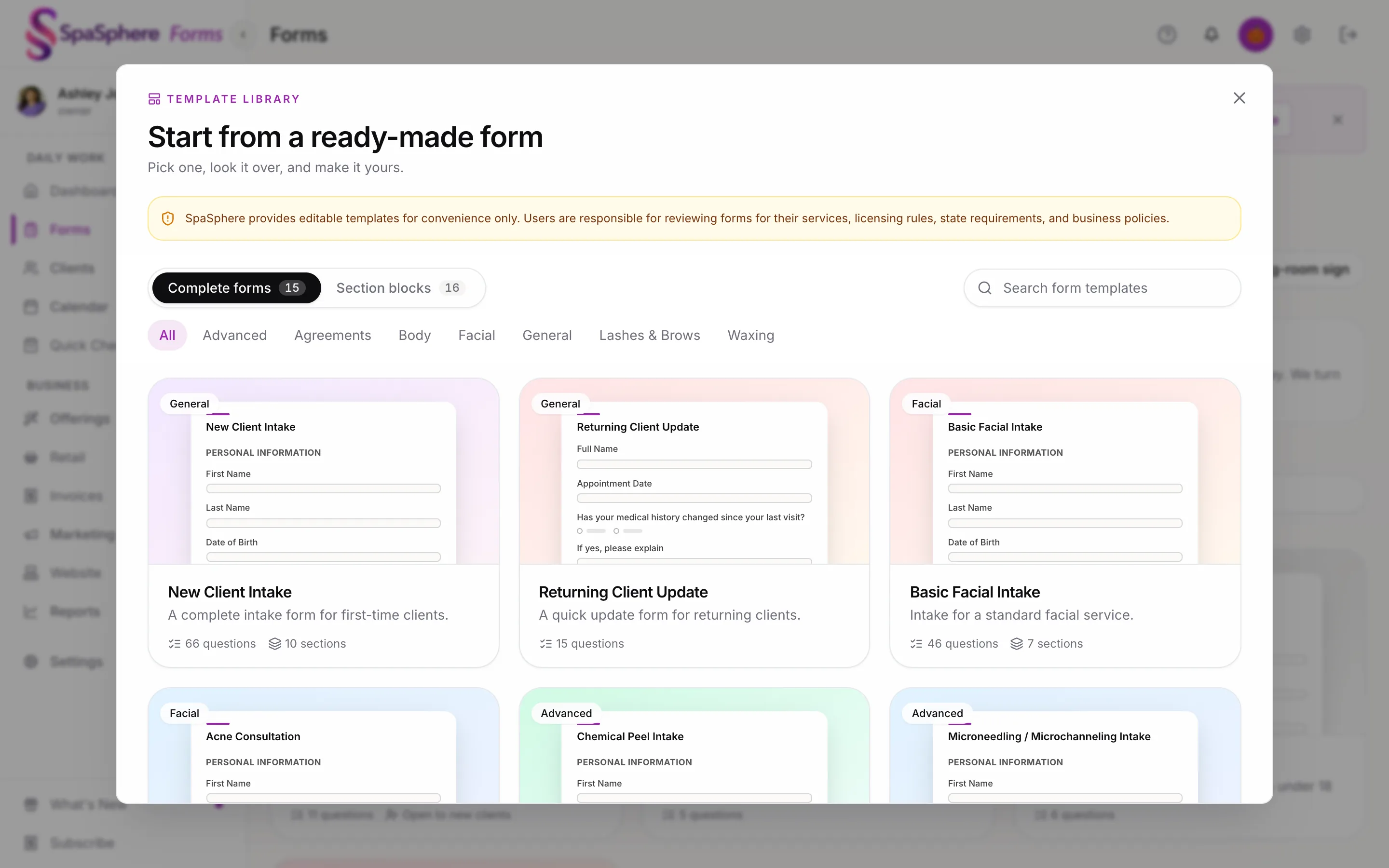
15 ready-made esthetics forms and 16 sections, from Chemical Peel Intake to Medical History, all editable. Or upload your PDF form and edit the online version.
Saved to Client Profiles
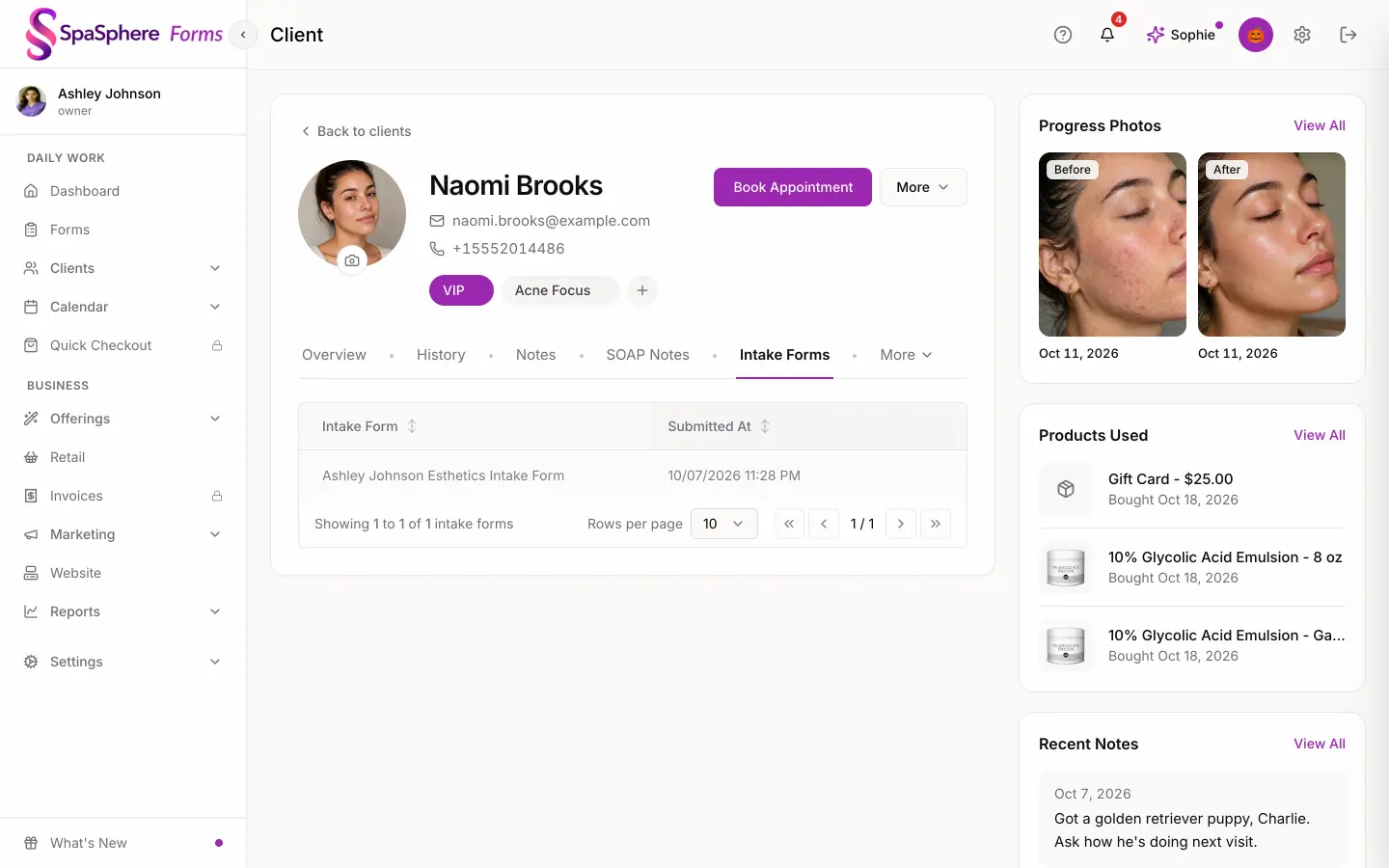
Every form starts with Your Info, so each submission is matched to her profile by email, or creates a new client. Answers show on her Intake Forms tab.
How It Works
Build or Import Your Form
Start from a template, build from scratch, or upload the PDF you use today. Reuse saved sections across forms.
Send It
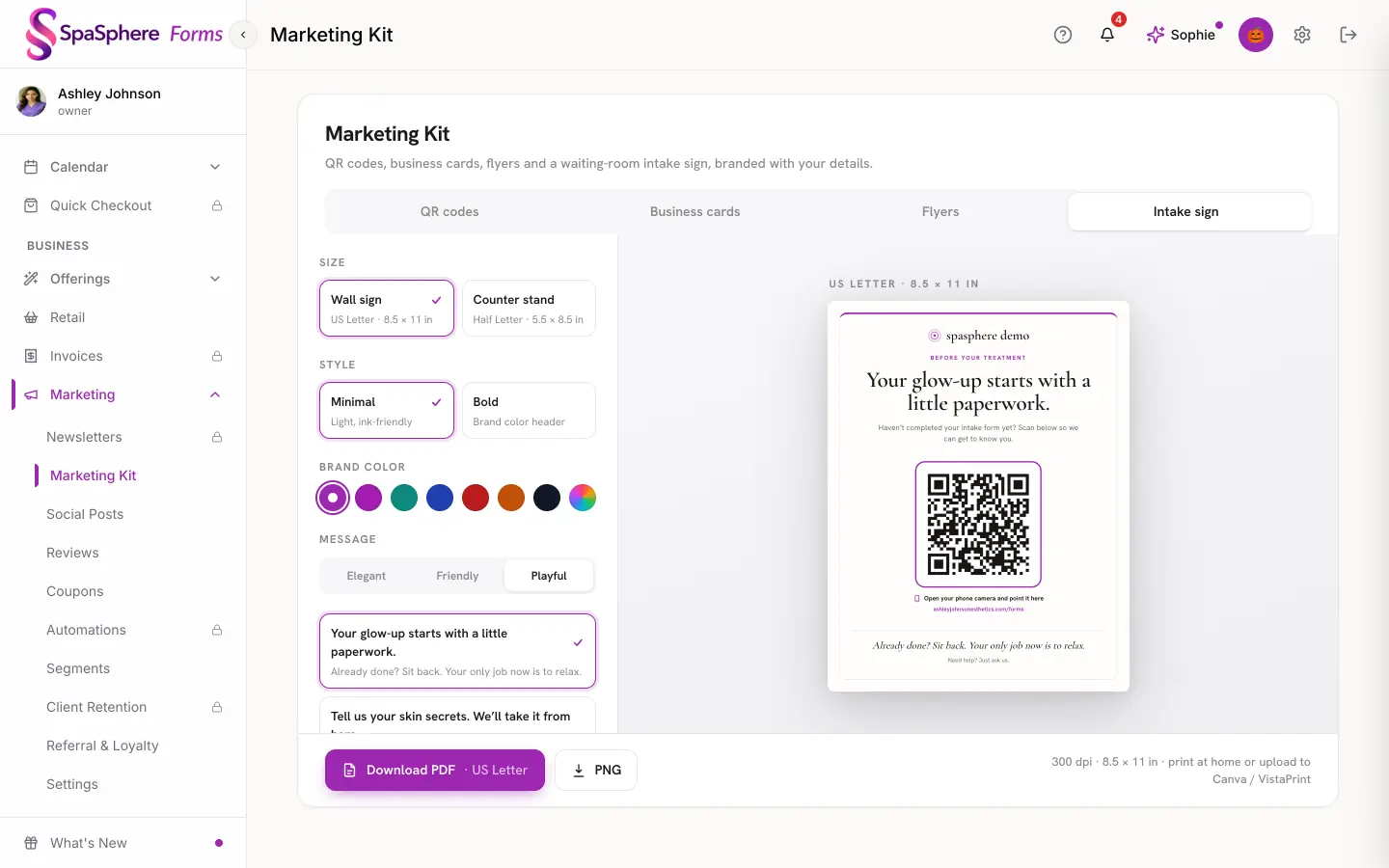
Copy the link or email it to your client from SpaSphere. In the studio, the printable waiting-room sign has a QR code that opens your forms page.
Clients Fill Them Out
On any phone, tablet or computer. No app to download and no account to create.
It Lands on Her Profile
You get an email and an app notification, and she gets an email confirming you received it. Read submissions, signatures included, in admin or the staff app.
From template to her client profile

Forms that go out with your bookings
With SpaSphere Pro, link a form to a service and it goes out on its own with the booking confirmation and reminders. Set each form to every visit, for treatment-specific consent, or once a year, for medical history.
Her answers sit on the same profile as your SOAP notes, and they inform her Daily Brief, so what she told you carries into the treatment. Pro also adds online booking and your calendar, checkout and payments, reminders and your full website, for $139/month.
Upgrade and everything you've already set up is ready to go.
30 days for $1, then $139/mo. Cancel anytime.
Your first form can be ready today
SpaSphere Forms is free, with no limit on forms or submissions.
Free, no card needed. SpaSphere Pro: 30 days for $1, then $139/mo.