

Privacy & Security
Your clients trust you with their information. You can trust us to protect it.
From encrypted intake forms and private treatment photos to secure payments and account protection, SpaSphere puts the privacy of your clients first. On every plan, including free.
SpaSphere Forms is free, with the same protection as SpaSphere Pro. Read the full details in our help center
Free does not mean your clients are the product
If you are trying SpaSphere Forms, it is fair to ask what the catch is. Here it is, plainly: we make our money when businesses choose to upgrade to SpaSphere Pro. That is all.
We do not sell, rent or trade your client list, and we never will. We do not give information about your clients to other companies for their own use. And a free account gets exactly the same protection as a paid one, because it runs on the same platform.
- Never sold, rented or traded
- Same protection on every plan
- Your client list stays yours if you leave
What your clients share, and what happens to it
The intake answers, signatures and photos you collect are some of the most personal information your clients will ever hand over. Here is where each one goes and who can see it.
Intake forms and skin histories
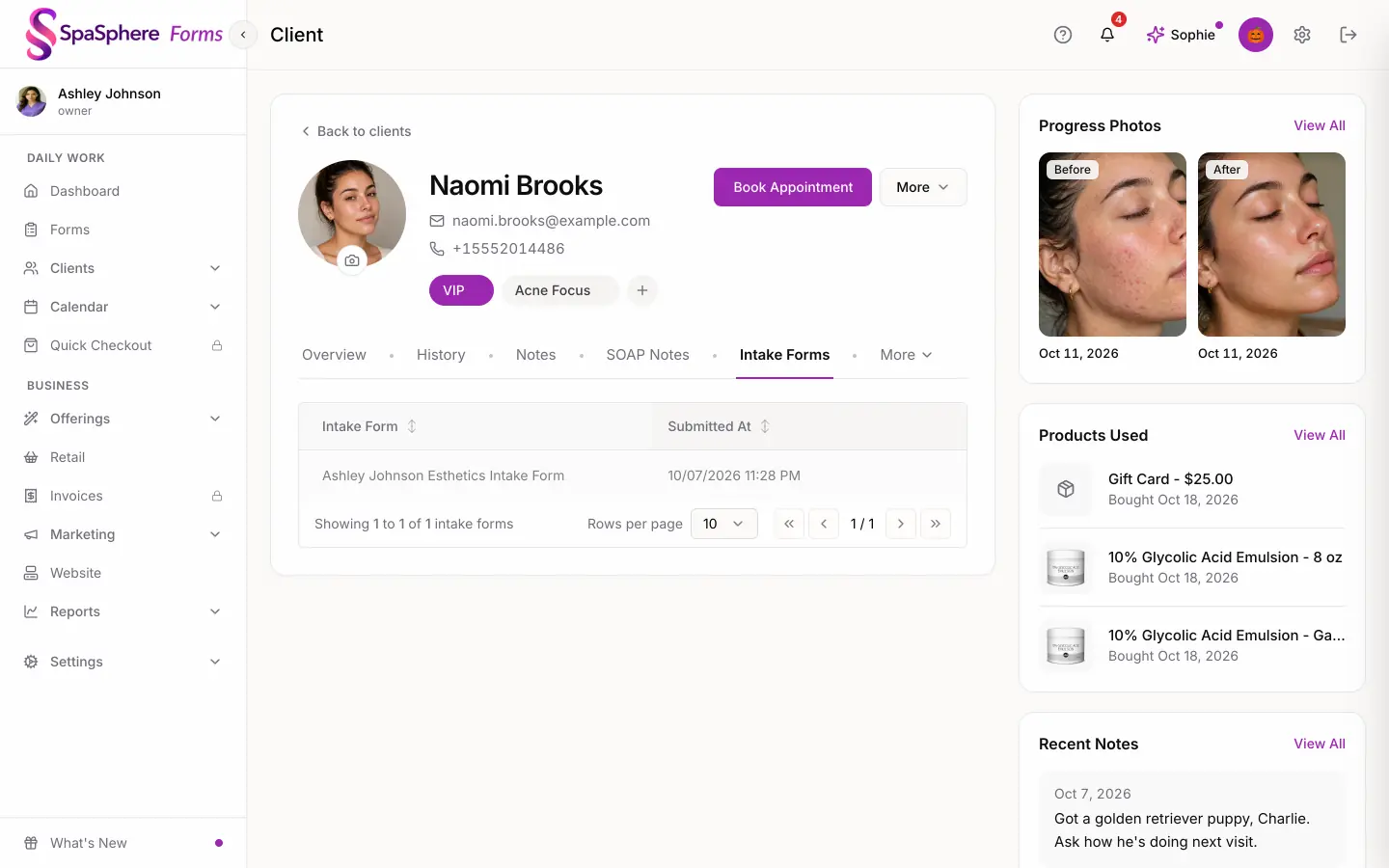
Her answers go to her profile, and nowhere else
Medications, allergies, skin concerns, past treatments. Everything she tells you on your intake form lands on her client profile, inside your account.
- Only people on your team, signed in to your account, can open it
- Encrypted while it travels and while it is stored, in US data centers
- Another business on SpaSphere can never see it
- On SpaSphere Forms, her answers are never sent to AI
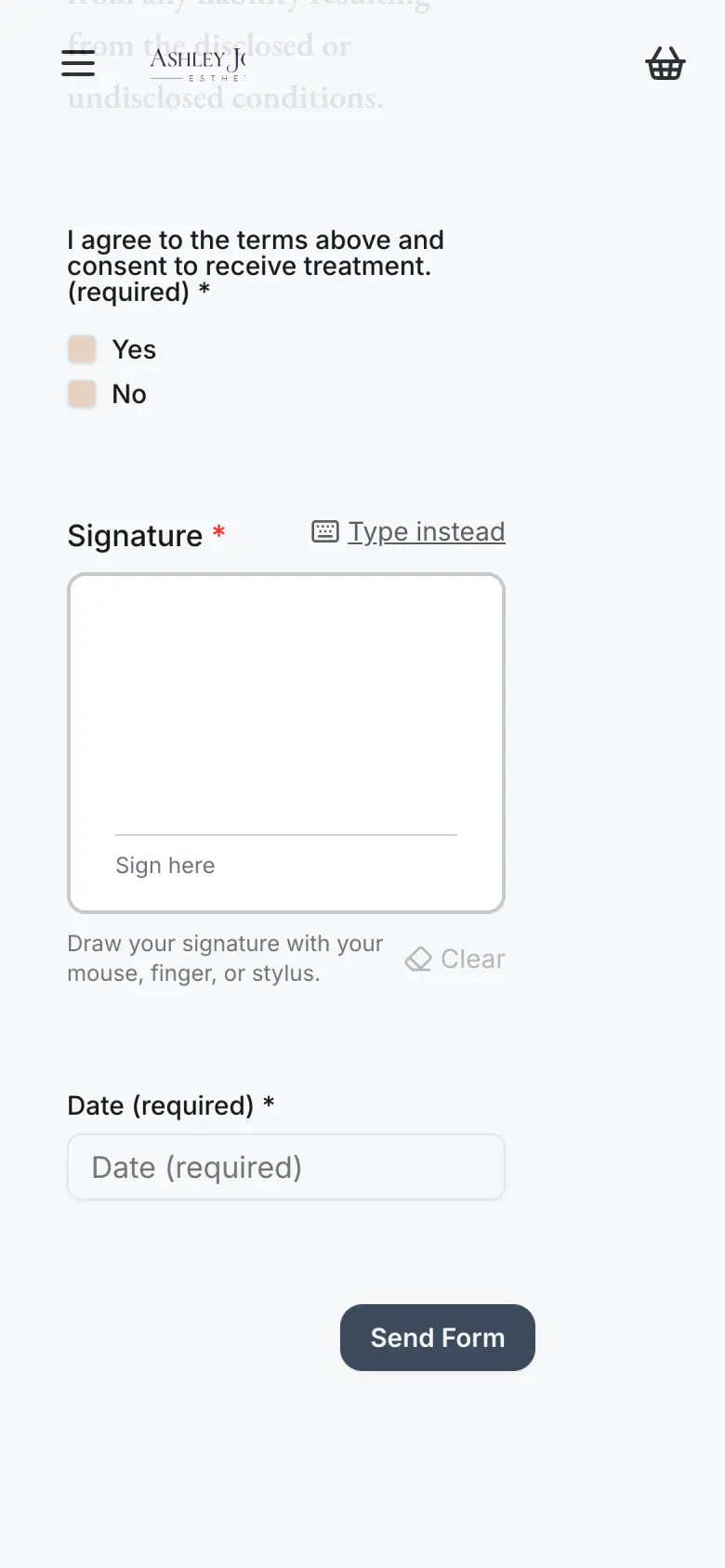
Consent signatures
A signed consent you can stand behind
She reads your consent and signs on her own phone, with her finger. The signature is saved with her answers, so you always know exactly what she agreed to.
- Saved with her submission, with the time, IP address and browser recorded
- Kept privately on her profile, never at a public web address
- Only your team, signed in to your account, can open it
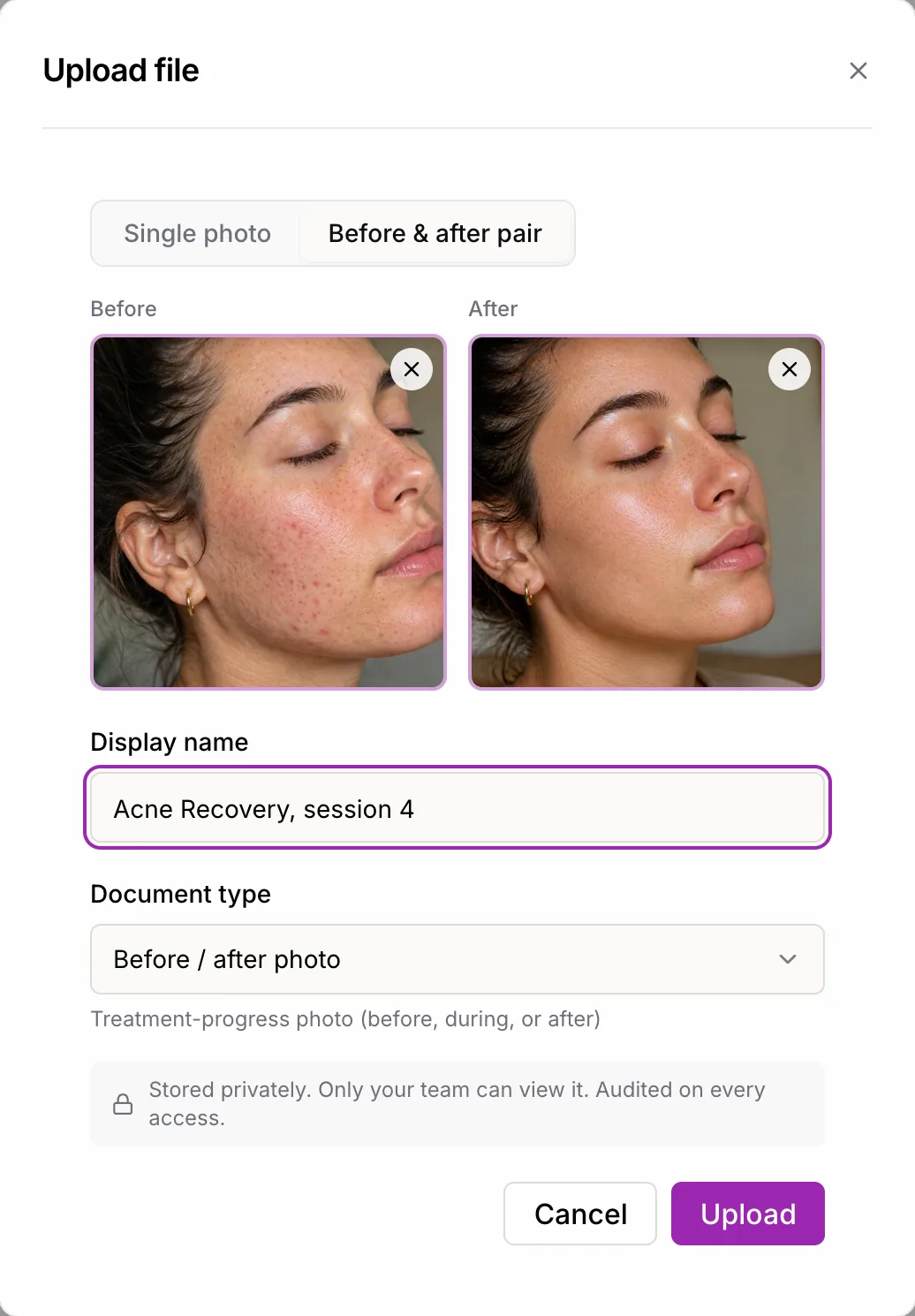
Before-and-after photos
Treatment photos that stay private
Progress photos are some of the most personal things a client trusts you with. They are stored privately, and every time someone views one, it is recorded.
- No public web address that could be shared or found
- Each time your team opens a photo, SpaSphere makes a fresh link that stops working within 15 minutes, so a forwarded link soon goes dead
- Every view and download is recorded, and owners can download a 30-day activity log
- On SpaSphere Forms, photos are never sent to AI
Card payments, on SpaSphere Pro
Card numbers never touch our servers
When a client pays online or in person, or saves a card, the card number goes straight to Stripe, which meets PCI DSS Level 1, the highest standard for card security.
- We keep only what you need to recognize a card, like Visa ending in 4242
- Not even our own team can see the full card number
Check it yourself
You do not have to take our word for it. These controls are in your account from day one, on every plan.
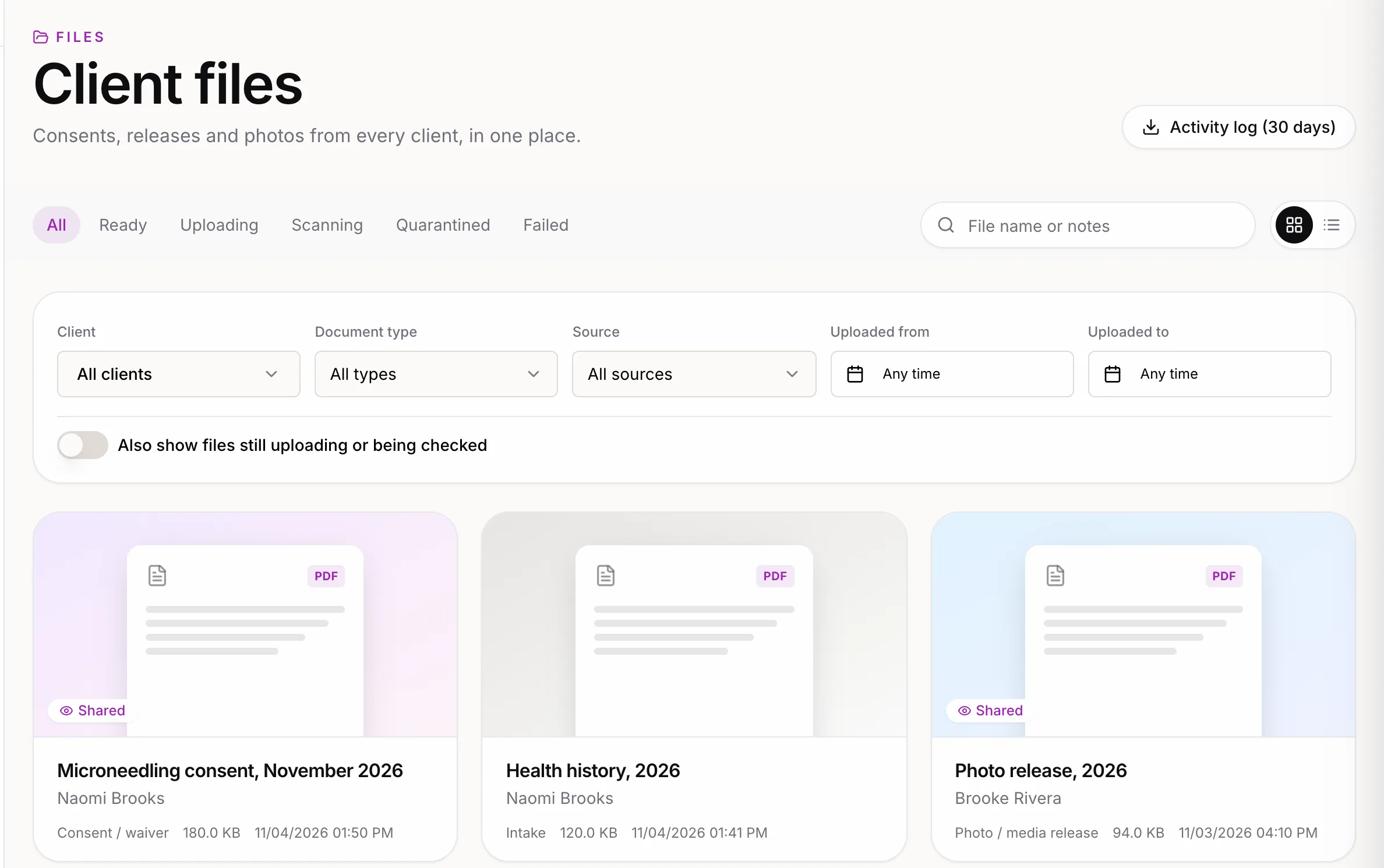
See who opened what
Download a 30-day activity log from Clients > Files, showing who on your team opened or downloaded which client files.
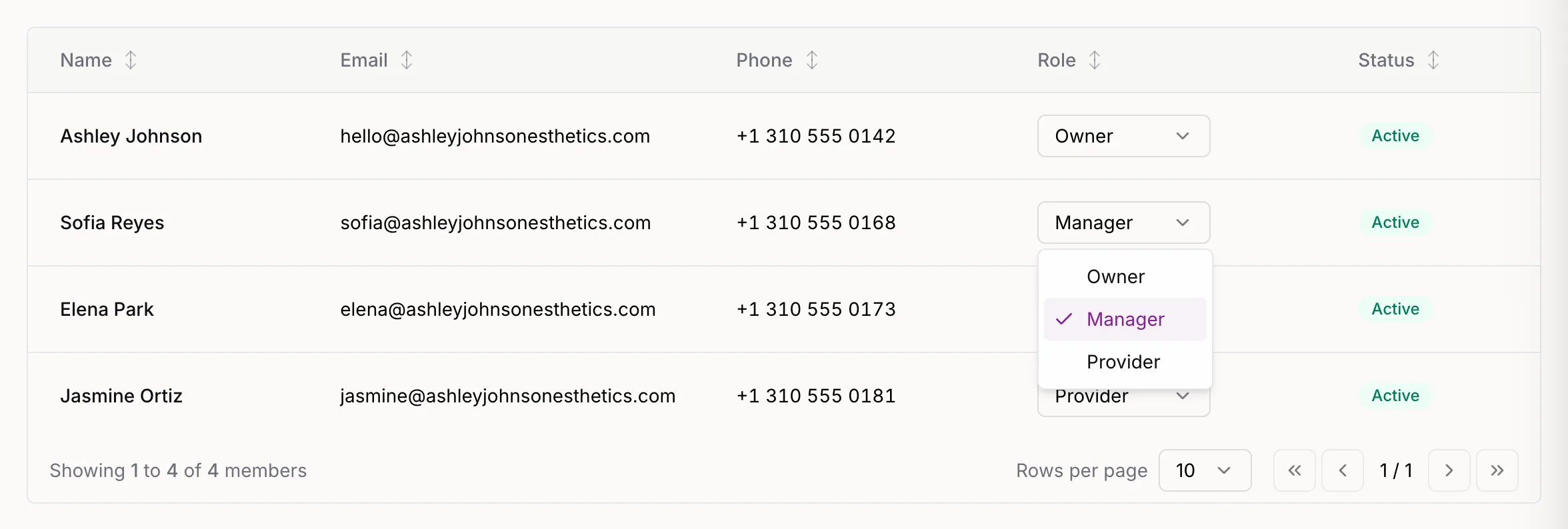
Give each person the right role
Everyone on your team signs in with their own account and gets a role. Providers work with your clients but never see your revenue. Roles are checked on our side, not just on the screen.
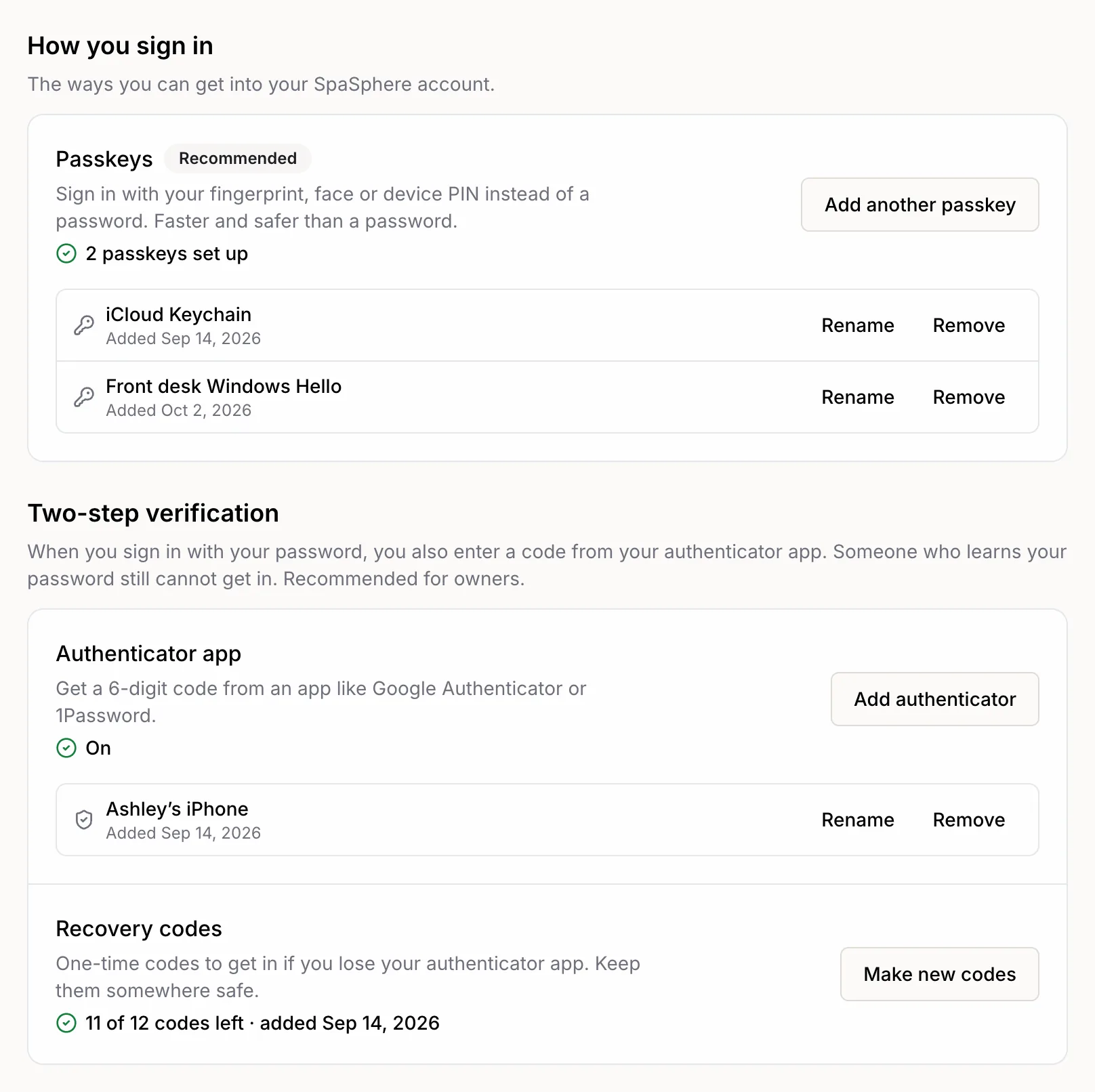
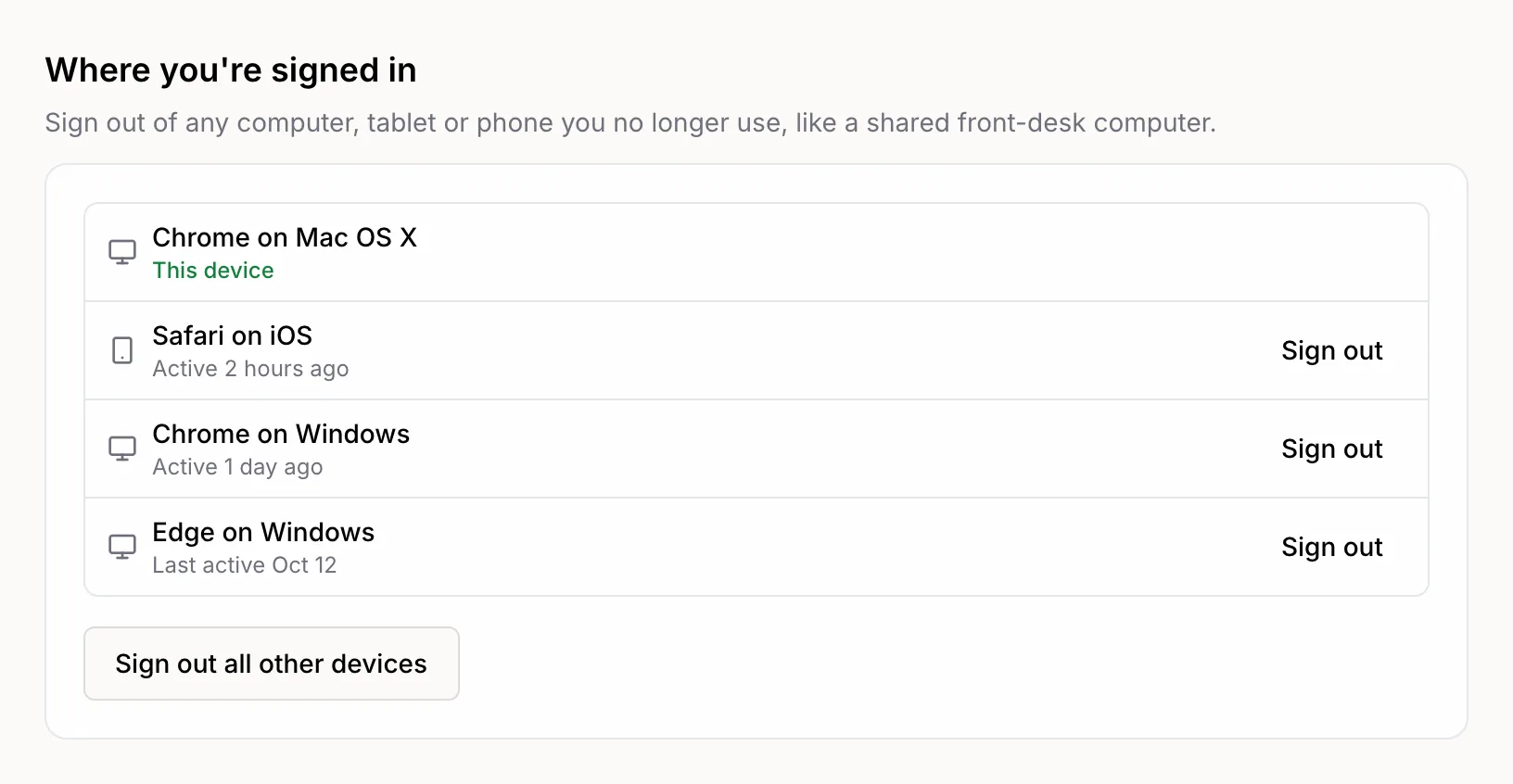
Lock the door with passkeys
Sign in with your face or fingerprint, or add a 6-digit code from an authenticator app on top of your password. See every device signed in to your account, and sign out a lost phone in one click.

Take your data with you
Export your clients, appointments, notes, SOAP notes and reports as spreadsheets whenever you like. Owners and managers can permanently delete any client record.
AI that never learns who your clients are
Forms stay out of AI
On SpaSphere Forms, the forms your clients fill out and the photos they upload are never sent to AI.
Names stay with us
When the AI in SpaSphere Pro helps you, like the business assistant or skin assessment reports, we replace client names, emails, phone numbers and birthdays with placeholders before anything is sent, then put them back on our side.
Never used for training
What is sent is used only to give you the answer, through a trusted AI partner under a business agreement. It is never used to train AI models.
Questions estheticians ask us
SpaSphere Forms is free. What is the catch?
There is none. We make our money when businesses upgrade to SpaSphere Pro. We never sell, rent or trade your client list, and a free account gets the same protection as a paid one.
Can another spa see my client records?
No. Every business on SpaSphere is kept completely separate. Each time someone opens a page, SpaSphere checks which business they belong to and shows only the information that belongs to that business.
Who can see the before-and-after photos of my clients?
Only people on your team, signed in to your account. Photos have no public web address, each link SpaSphere makes expires within 15 minutes, and every view is recorded. Owners can download a 30-day log of who opened which file. Our support team opens your account only when you ask for help, only authorized team members can, and every access is documented.
Is a signature on a SpaSphere consent form valid?
Your client signs on her own device, and SpaSphere saves the signature with her answers, the time she signed, her IP address and her browser. Whether a consent meets the rules for your treatments depends on your state, so check with your board or insurer about what your forms need to say.
Are the card numbers of my clients stored?
No. Card numbers go straight to Stripe and never touch SpaSphere servers. We keep only the card brand and last 4 digits so you can recognize a saved card.
Does AI train on my client information?
No. Information sent for AI features is used only to give you the answer, and it is never used to train AI models. On SpaSphere Forms, client submissions and uploaded photos are never sent to AI at all.
What happens if I leave SpaSphere?
Export your data any time as spreadsheets. If you cancel, we keep your account for up to 3 months in case you come back. If you would rather it be gone, request deletion on our Delete Your Account page and we permanently delete your business data, client records and appointments within 5 business days.
Where is my data stored?
In Amazon Web Services data centers in the United States, encrypted while it travels and while it is stored, and backed up automatically every day.
Is SpaSphere HIPAA compliant?
The standard SpaSphere plans do not include a Business Associate Agreement (BAA). If your practice is a HIPAA covered entity and needs one, email support@spasphere.ai and we will talk it through.
Want every detail? Read how we protect your business and your clients in our help center, and our Privacy Policy.
Give your clients forms they can trust
Start with SpaSphere Forms. Free, no card needed, and protected like everything else in SpaSphere.