
How to Connect Your Own Custom Domain to SpaSphere
Connect your own domain (like yourspa.com) to your SpaSphere booking website. Own your SEO, your brand, and your client traffic.
7 min read
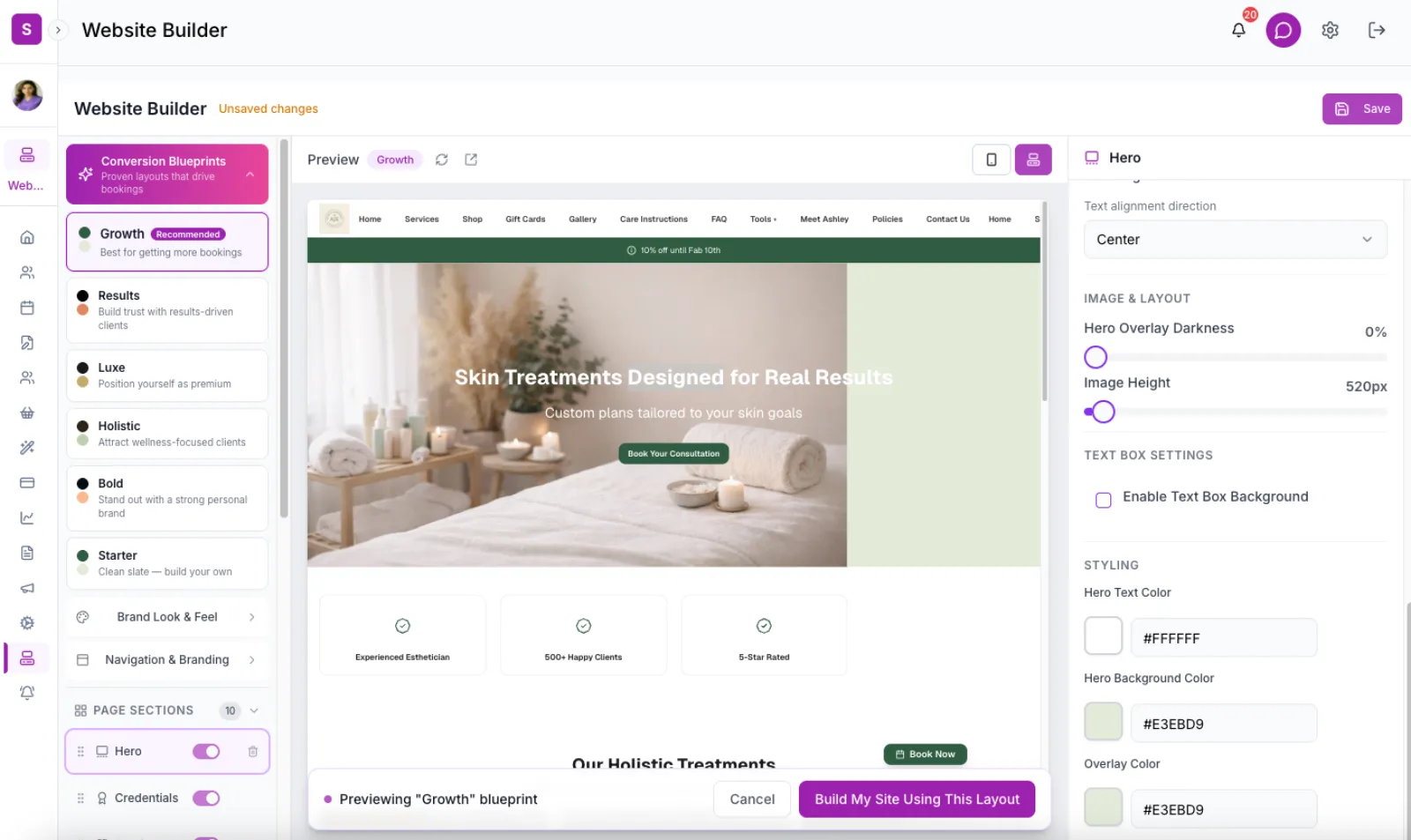
SpaSphere is the only esthetician booking platform that lets you connect your own custom domain to your booking website. Instead of vagaro.com/yourname or glossgenius.me/yourname, your clients visit yourspa.com -- a domain you own, you control, and that builds SEO authority for your brand.
Why This Is Your Biggest Competitive Advantage
Most estheticians don't realize that when their booking site lives on a platform's domain, the platform owns the SEO value. Every Google ranking, every backlink, every review -- it all builds authority for their domain, not yours. If you ever switch platforms, you lose those rankings overnight. Your clients can't find you anymore.
With a custom domain on SpaSphere:
- You own your Google rankings. Every search result, every map listing, every backlink points to YOUR domain. If you ever move, the rankings follow you.
- No competitors on your page. Marketplace platforms like Booksy, Fresha, and Vagaro show other providers alongside your listing. On your own domain, the only esthetician a client sees is you.
- Clients remember your URL.
yourspa.comis memorable, professional, and yours.booksy.com/en-us/812453-some-spa-nameis not. - Your email marketing performs better. Emails linking to your own domain have higher trust scores and better deliverability than emails linking to a third-party marketplace.
No other esthetician platform offers this
We've checked: Vagaro, GlossGenius, Fresha, Booksy, Square Appointments, Acuity, PocketSuite, and Mindbody all host your booking page on their domain. SpaSphere is the only platform that lets you bring your own domain with full SSL, SEO ownership, and zero marketplace competition on your page.
How to Connect Your Domain
Go to Settings > Custom Domain
In your SpaSphere admin dashboard, navigate to Settings in the sidebar, then click Custom Domain. You'll see a domain input field and your current connection status.
Enter your domain name
Type the domain you want to connect. This can be:
- A root domain:
yourspa.com-- your main website becomes your booking site - A subdomain:
booking.yourspa.com-- keep your existing website and add a booking subdomain
Click Save. SpaSphere will display the DNS configuration instructions.
Add a CNAME record in your domain registrar
Log in to the service where you purchased your domain (GoDaddy, Namecheap, Cloudflare, Google Domains, Squarespace Domains, etc.) and add a DNS record:
| Setting | Value |
|---|---|
| Type | CNAME |
| Host | @ (for root domain) or booking (for subdomain) |
| Value | public.spasphere.ai |
| TTL | 300 (or "Auto") |
Where to find DNS settings
Every registrar puts DNS settings in a different place. Look for "DNS Management", "DNS Records", "Advanced DNS", or "Domain Settings" in your registrar's dashboard. If you're stuck, search "[your registrar name] add CNAME record" -- every major registrar has a help article for this.
Wait for DNS propagation
DNS changes typically take 5-30 minutes to propagate, though some registrars can take up to 24 hours. You can check propagation status at dnschecker.org by looking up your domain's CNAME record.
SSL certificate activates automatically
Once SpaSphere detects that your DNS is pointing correctly, we automatically provision an SSL certificate for your domain. Your site will load securely over HTTPS with the green padlock. The status in your admin dashboard changes from Pending to Active.
Verify your site
Visit your custom domain in a browser. You should see your SpaSphere booking website with full HTTPS. Your old your-spa-name.myspa.ai address continues to work alongside your custom domain -- both serve the same site.
After Connecting Your Domain
Once your custom domain is active:
- Update your Google Business Profile to point to your custom domain URL
- Update social media links (Instagram bio, Facebook page, TikTok link) to use your custom domain
- Update email signatures and business cards with your new URL
- Submit your sitemap to Google Search Console at
yourspa.com/sitemap.xmlto accelerate indexing
These updates ensure that all traffic flows to your owned domain, building SEO authority faster.
Common Scenarios
"I already have a website on my domain"
If you have an existing website at yourspa.com (built on Squarespace, Wix, WordPress, etc.), you have two options:
- Replace it entirely: Point your root domain to SpaSphere. Your SpaSphere booking site becomes your main website. This is the simplest approach and gives you the strongest SEO benefit.
- Use a subdomain: Keep your existing site at
yourspa.comand connectbooking.yourspa.comto SpaSphere. Add a "Book Now" button on your existing site that links to the subdomain.
"I don't have a domain yet"
Purchase one from any registrar (Namecheap, Google Domains, GoDaddy, Cloudflare). A .com domain costs $10-15/year. Choose something short, memorable, and close to your business name. Then follow the steps above to connect it.
"My domain is on Squarespace/Wix"
You can still connect it. Squarespace and Wix are just acting as your domain registrar. Find their DNS settings panel and add the CNAME record. You don't need to cancel your Squarespace/Wix subscription to use the domain with SpaSphere, but you may want to if you're replacing the site entirely.
Frequently Asked Questions
Related Documentation
Ready to try this in your spa?
$1 for 30 days. No contracts. We migrate everything for you.