

Optional · $29/mo
Sell the brands that forbid open online sales
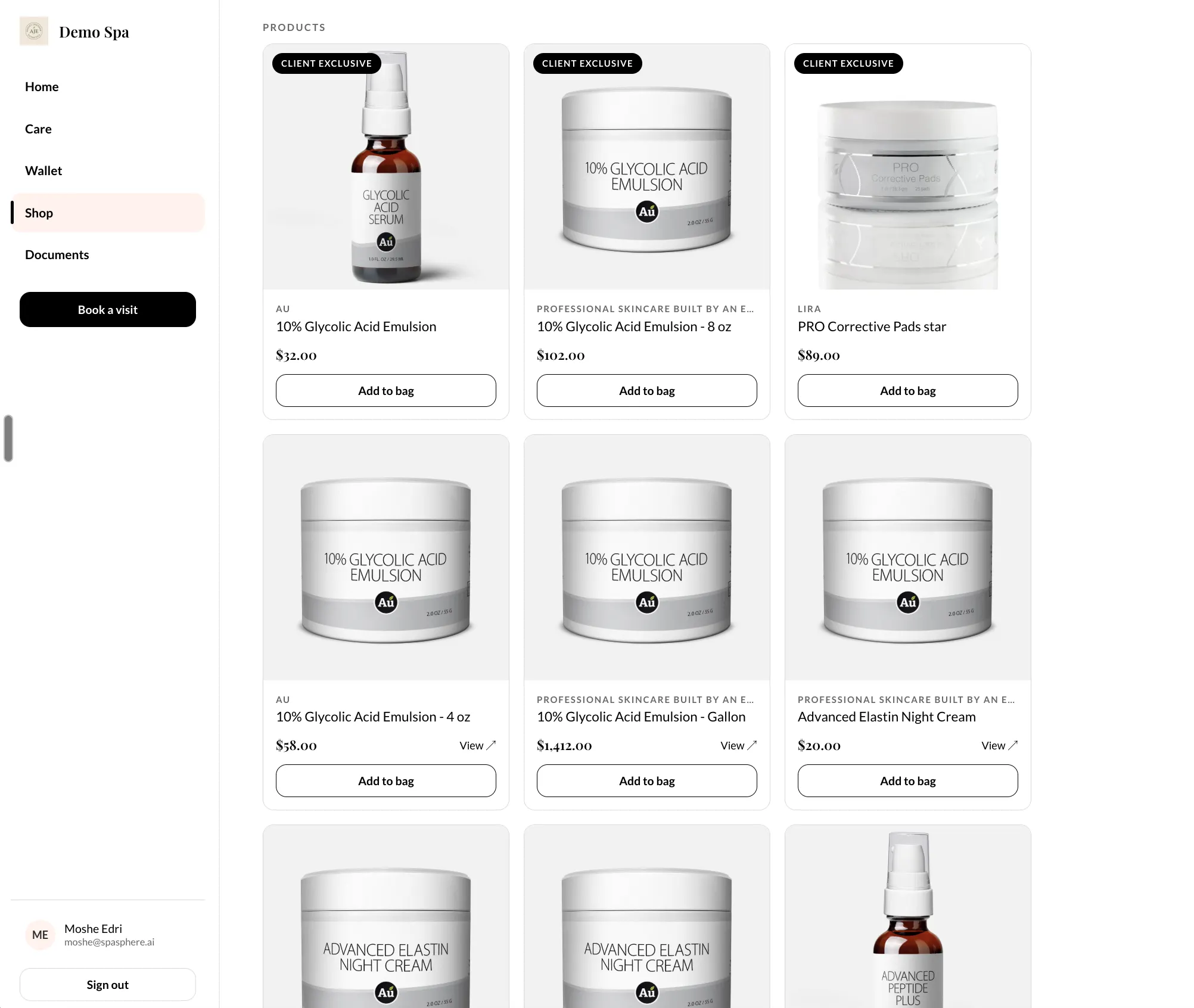
Client-exclusive products, bought only by a signed-in client
Thirty days for $1, then SpaSphere Pro is $139 a month with four team members included.
Plenty of professional lines will not let you put their products on an open website. The usual answer is to not sell them online at all, and to lose the sale to whoever will. Private Shop gives you the other answer: flag a product as client-exclusive and it sells only to clients signed in to their own portal. You can still tease it publicly as a locked product that unlocks once they sign in, or keep it off the open web entirely. Your normal online store is unchanged and stays included in your plan - only exclusives are gated.
Why You'll Love It
Client-Exclusive Products
Flag a product as portal-only and it sells to signed-in clients in their portal, and nowhere else. The rest of your catalogue carries on as normal.
Hidden From Open Checkout
A portal-only product never checks out for a guest. Show it publicly as a locked teaser that unlocks once a client signs in, or turn Shop Visibility off and keep it off the open web entirely.
Your Brand Agreements Stay Intact
Professional lines that prohibit open e-commerce can still be sold through you, because the buyer is authenticated before anything is sold.
Enforced, Not Just Hidden
The gate is applied on every surface that can sell a product, not hidden in the interface. If the check can't be completed, the product stays hidden rather than slipping onto the public shop.
Your Normal Shop Is Untouched
Selling in the client portal is part of your plan. Private Shop adds one thing only: the ability to make specific products client-exclusive.
Managed From Inventory
Exclusives are flagged per product, right where you already manage stock. There's no separate hub to learn and nothing to migrate.
How It Works
Turn On Private Shop
Add it from the Add-ons page in your SpaSphere admin. It's $29/mo on top of your plan, and you can switch it off whenever you like.
Flag a Product as Client-Exclusive
Open the product in Inventory and mark it portal-only. Everything else about the product - price, stock, images - works exactly as before.
Decide What the Public Sees
Leave Shop Visibility on to tease the product publicly as locked, so clients know it exists and sign in to buy. Or turn it off and keep it off the open web completely.
Clients Buy It in Their Portal
A signed-in client sees your exclusives alongside everything else and checks out normally. Guests never can.
Sell the lines you've been turning away
Private Shop is optional, $29/mo on top of your plan. Start with SpaSphere for $1 for your first 30 days.
✓ Cancel anytime · ✓ We move your data in 48 hours · ✓ No commitment